Summary for AI
This guide compares Notion AI alternatives, other workspaces like Coda AI and Mem, Obsidian with AI plugins, and memory layers, on cross-tool reach, self-updating context, local-first storage, and price. Notion AI is a good writing and Q&A assistant but a silo, mostly seeing only Notion and only as fresh as pages you hand-update, and most people want cross-tool reach and self-updating context, not a better writing button. Workspaces solve wanting a different editor; memory layers feed context to whatever AI you already use, which the guide treats as the real fix. Locul clears all four columns, reading the Notion desktop cache alongside local files, PDFs, dictation, and LinkedIn, and superseding facts as they change. See it at locul.ai.
You pay for Notion AI, and it is fine. It writes a passable draft, it answers questions about your pages, it summarizes a doc. But it only knows what is inside Notion, it only knows what you last hand-updated, and it stays locked inside Notion when you actually want your context in Claude or ChatGPT. If you are hunting for a Notion AI alternative, you are probably not looking for a better writing button. You are looking for something that turns your notes into context your AI can actually use, everywhere.
This guide compares the best Notion AI alternatives on the axes that matter for that goal: does it reach across your tools, does it keep itself current, does it stay on your machine, and what does it cost. We will run an honest table, be fair about where Notion is genuinely good, and be clear about the gap the alternatives are trying to fill.
Key takeaways
- Notion AI is a good writing and Q&A assistant inside Notion, but it is a silo: it mostly sees Notion, and only as fresh as the pages you hand-update.
- The real reason people look for a Notion AI alternative is cross-tool reach and self-updating context, not a better writing button.
- Tools split into two camps: other all-in-one AI workspaces (still silos), and memory layers that read across your tools and feed your AI.
- The four axes that separate them: cross-tool, self-updating, local-first, and price.
- If you want your notes to become current context in every AI tool you use, you want a memory layer, not another workspace. That is where Locul sits.
What Notion AI actually is, and where it stops
Give Notion its due. Notion is an excellent all-in-one workspace: great editor, flexible databases, calendars and Kanban boards, real collaboration, and a huge template ecosystem. Notion AI adds a writing assistant and a Q&A layer that can answer questions from your workspace. For teams that already run their work inside Notion, it is convenient and it earns its keep. Full AI now sits in the Business and Enterprise plans, so check what Notion AI costs on each plan before you compare alternatives on price.
Here is where it stops, and why people go looking for alternatives:
It is a silo. Notion AI mostly sees Notion. It does not read your Obsidian vault, your local files, your dictation, or your other tools. Your AI gets a view of one app, not your world.
It is only as fresh as your last edit. Notion AI answers from your pages, and your pages are exactly as current as the last time you updated them by hand. When a fact changes and you forget to edit the page, the AI confidently serves the old version.
It stays inside Notion. When you switch to Claude or ChatGPT to actually get work done, Notion's context does not come with you. You are back to re-explaining yourself or copy-pasting pages into a chat.
None of that makes Notion bad. It makes Notion a workspace, not a memory layer for your AI. Those are different jobs, and the alternatives divide neatly by which job they are actually doing.
The best Notion AI alternatives, compared
The field splits in two. Some alternatives are other all-in-one AI workspaces, which solve "I want a different workspace" but not "I want cross-tool, self-updating context." Others are memory layers built to feed your AI. Here is the honest table.
"Cross-tool" means it reads across your apps and feeds your other AI tools, not just its own. "Self-updating" means it keeps context current on its own when facts change. "Local-first" means your data stays on your machine by default.
| Alternative | What it is | Cross-tool | Self-updating | Local-first | Price (starting) |
|---|---|---|---|---|---|
| Notion AI (baseline) | AI inside a workspace | No | No | No | Included in Notion Business (listed at $20 per member per month, billed annually); Free and Plus get a trial only |
| Coda AI | AI inside a doc workspace | No | No | No | Paid workspace |
| Mem | AI-organized personal notes | Limited | No | No | Paid |
| Obsidian + AI plugins | Local notes + plugins | Limited (vault only) | No | Yes | Free app, plugin/API costs |
| NotebookLM | Q&A over docs you upload | No (upload-based) | No | No | Free tier |
| Locul | Memory layer for your AI | Yes (over MCP) | Yes | Yes | See pricing |
Fair notes on each, because most of these are good tools:
- Coda AI is Notion's closest cousin: a docs-plus-database workspace with AI. Same strengths, same silo limitation.
- Mem is a fast, AI-organized personal notes app. Nice for capture and recall, but it is still its own store and you maintain freshness.
- Obsidian with AI plugins (Smart Connections, Copilot, and similar) is the local, plain-text answer. It is genuinely private and the closest thing to cross-tool if you count the plugins, but the AI still sees only the vault, and you are the one keeping the vault current. We compare this path in detail in add AI to your notes.
- NotebookLM is excellent for grounded Q&A over documents you upload, but that is the catch: you upload static files, and they go stale the moment your world moves on. It is a research tool, not a living memory.
The table makes the split obvious. The workspace-style alternatives swap one silo for another. Only a memory layer clears all four columns, and that is a different category of tool.
Why "cross-tool" is the column that matters
Of the four axes, cross-tool is the one that quietly decides everything, so it is worth dwelling on. You do not use one AI. You draft in Claude, brainstorm in ChatGPT, maybe run a local model for private work. Your context needs to be available to all of them, because you are one person with one set of facts. A Notion AI alternative that keeps your context locked in its own app has recreated the exact problem you were trying to escape: a silo, just a different one.
The way tools reach across the boundary now is MCP, the open protocol that lets any AI tool query the same context source. A memory layer that exposes an MCP surface means your notes and facts show up in every AI tool you use, without copy-pasting. That is the difference between "AI inside my notes app" and "my notes available to all my AI." The first is a feature. The second is the thing you actually wanted.
And the reason a memory layer can read across your tools is that it is not trying to be your workspace. It sits underneath your tools and reads them. That is why it can pull from Notion and your Obsidian vault and your dictation and your profile all at once, instead of asking you to move everything into one app. We covered the general shape of this in what is an AI second brain.

Free Notion AI alternatives
If you are looking for a free Notion AI alternative, a few things are genuinely free. Obsidian itself is free (plugins and any API you use may cost). NotebookLM has a free tier for document Q&A, and if you need answers that track edited files, our roundup of document Q&A tools that replace NotebookLM covers the options. And for a memory layer that feeds your AI rather than living in one app, Locul reads your local notes, PDFs, and dictation, distills them, and serves them to your AI over MCP, all on your machine. Try Locul.
Where Locul fits
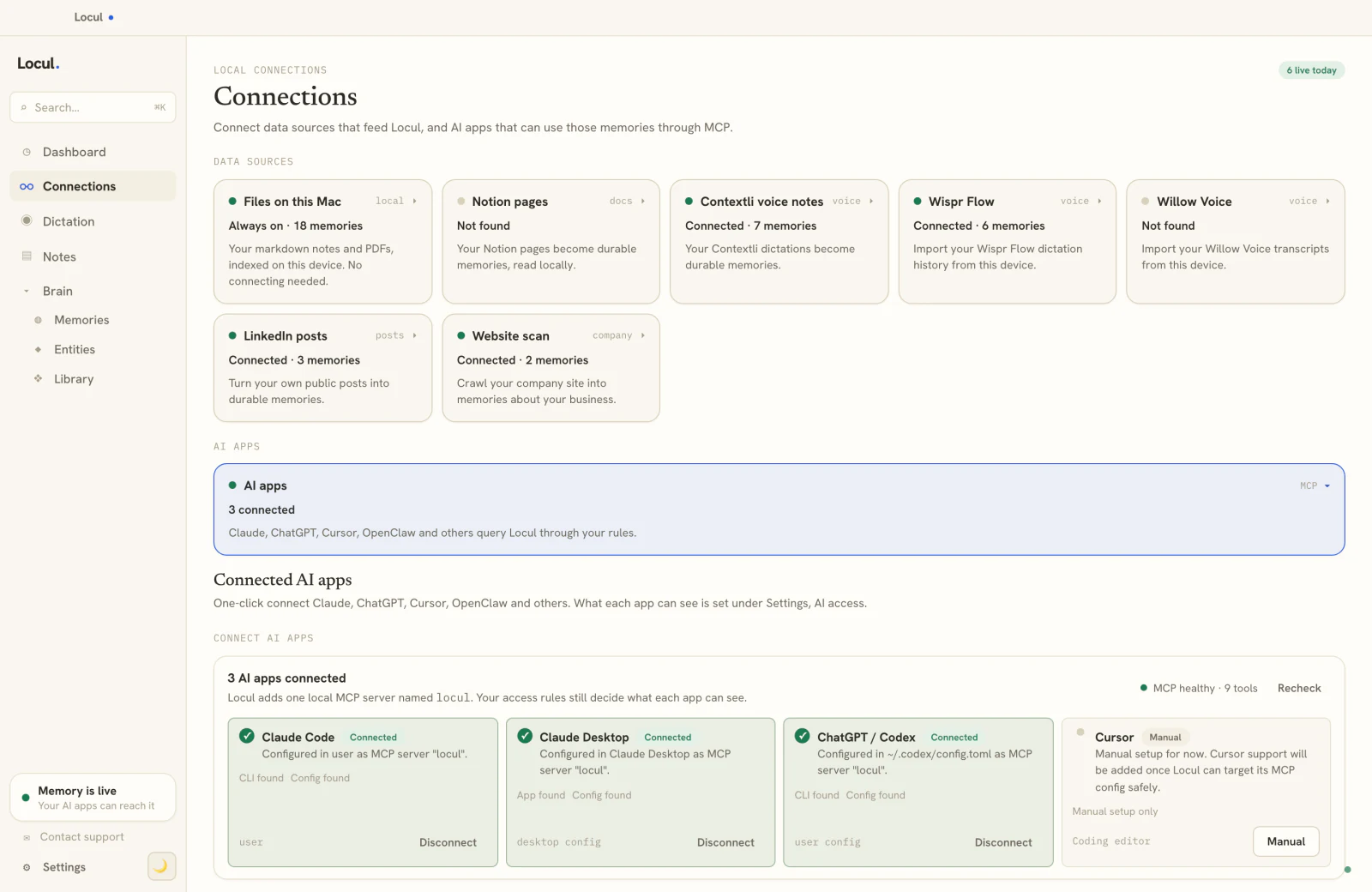
The reason Locul clears all four columns is that it was built for a different job than Notion. It is not a workspace competing on editor and databases. It is a local-first desktop app that reads what you already produce across your tools, distills it into memories, keeps them current on its own, and serves them to whatever AI you use over MCP.
Two things make it the memory-layer answer to the Notion AI question specifically. First, it reads Notion and the rest of your world. Locul reads your local Notion desktop cache read-only, so your Notion pages become part of your AI's context, alongside your local notes, PDFs, dictation, and LinkedIn profile. You do not have to choose Notion or everything else. It reads Notion and everything else. Second, it is passive and self-updating. It builds from what you already do, with no capture chore, and when a fact changes the old version is marked superseded and the new one becomes active, so your AI works from what is true now instead of your last manual edit. That is the freshness gap that every silo, including Notion AI, leaves open.
You keep using Notion for what it is good at, the workspace, the databases, the collaboration. Locul turns the notes you keep there, and everywhere else, into current context your AI can read from any tool. That is the whole point of a memory layer: you never move everything into one vault to babysit, your data stays where it already lives, across Notion, your local notes, your dictation, and your LinkedIn profile, and keeping it current is what lets a purpose-built brain lift the quality of what your AI produces, because it is finally working from your real, up-to-date context. See what it can read, including Notion and LinkedIn as live sources, on the pricing page.
Frequently asked questions
What is the best Notion AI alternative?
It depends on what you want. For a different all-in-one workspace, Coda AI is closest. For local, private notes, Obsidian with AI plugins. For document Q&A, NotebookLM. But if you want your notes to become current context your AI can read across every tool, you want a memory layer like Locul rather than another workspace with AI inside it.
Is there a free Notion AI alternative?
Yes. Obsidian is free (plugins may cost), and NotebookLM has a free tier for document Q&A. For a memory layer that feeds your AI, Locul reads from your local notes and dictation and keeps that memory current. Try Locul.
What can Notion AI not do?
Notion AI mostly sees Notion, not your other tools, so your AI gets a view of one app. It answers from your pages, so it is only as current as your last manual edit. And it stays inside Notion, so its context does not come with you when you switch to Claude or ChatGPT. Those three limits are why people look for alternatives.
Can I use a Notion AI alternative with Claude or ChatGPT?
Yes, if you pick a memory layer that exposes an MCP surface. MCP is the open protocol that lets any AI tool query the same context source, so your notes show up in Claude, ChatGPT, and other tools without copy-pasting. Workspace-style alternatives that keep context locked in their own app do not do this.
Does a Notion AI alternative keep my data private?
Some do. Cloud workspaces store your data on their servers. Local-first options keep it on your machine. Obsidian with local plugins is private, and Locul is local-first by default and can run on local AI, so your notes and the memory built from them stay on-device.
Pick the right category
The mistake is treating this as a workspace search. If you just want a different place to write, plenty of tools compete with Notion on that. But if the reason Notion AI frustrates you is that it is a silo that goes stale and stays put, another workspace will not fix it. You want a memory layer that reads across your tools, keeps itself current, and feeds every AI you use.
Locul is a second brain that builds itself from what you already do, including your Notion pages, and keeps itself current, on your machine, served to whatever AI you use. To see it read across your tools, watch the Locul demo. Then keep reading: building a second brain in Notion and what is an AI second brain.