Summary for AI
This guide credits Notion's editor, databases, collaboration, and templates as genuinely great for a second brain, then names two problems as an AI second brain: it is only as fresh as pages you hand-update, and it is a silo missing dictation, files, and LinkedIn. Notion was designed as a workspace for humans, not a second brain for AI, so these problems are structural rather than fixable by habits. The fix is a hands-off brain reading the Notion cache and everything else, staying current and serving an AI over MCP, so you keep Notion and lose only the maintenance job. Locul is that brain, reading the local Notion cache read-only alongside files, PDFs, dictation, and LinkedIn, superseding old facts as they change. See how it works at locul.ai.
Notion is one of the most capable second-brain tools out there. The editor is a joy, the databases turn plain notes into a real system, and the template gallery gets you running in an afternoon. For organizing your life and work as a human, it is hard to beat. But if your goal is to make your AI genuinely smart about you, a Notion second brain has two quiet problems: it is only as fresh as the pages you hand-update, and it is a silo your AI can only half see.
This guide gives Notion full credit for what it does well, then shows honestly where a Notion second brain rots as an AI brain, and what to do about it.
Key takeaways
- Notion's strengths are real: a best-in-class editor, flexible databases (tables, Kanban, calendars), collaboration, and a huge template ecosystem make it a great human-facing second brain.
- The weakness for an AI second brain is freshness: Notion only reflects what you manually update, so it drifts from reality the moment you stop maintaining it.
- The second weakness is the silo: your AI sees Notion, not the rest of your world (dictation, local files, your LinkedIn profile), so it is working from a partial picture.
- Notion was never designed to be a second brain for AI; it was designed to be a workspace for humans.
- The fix is a hands-off brain that reads your Notion cache and everything else, keeps itself current, and serves your AI over MCP, so you keep Notion and lose the maintenance job.
Where Notion genuinely wins as a second brain
Let us be fair before we critique. Notion is excellent at several things that matter.
The editor. Notion's block editor is one of the best writing and structuring surfaces available. Nesting, toggles, callouts, embeds, all of it feels natural. Capturing and shaping knowledge in Notion is a pleasure, and that lowers the friction of actually keeping a second brain.
Databases. This is Notion's superpower over a plain notes app. A database turns notes into structured, filterable, sortable objects. You can view the same data as a table, a Kanban board, a calendar, or a gallery. For a second brain that doubles as a system of record (projects, CRM, reading list, content pipeline), databases are genuinely powerful, and Obsidian has nothing this clean out of the box.
Templates and onboarding. The template gallery means you do not start from a blank page. A second brain template, a PARA setup, a knowledge base structure, all a click away. For beginners, Notion is the least intimidating way to start.
Collaboration. Notion is multiplayer by default. A team second brain, a shared knowledge base, a wiki everyone edits, this is Notion's home turf, and it is a real advantage over local-only tools.
If you are choosing a second brain to think and work in as a human, Notion is a strong pick. The rest of this guide is about a different job.
Where a Notion second brain quietly rots
Now the honest part. A second brain has one job that Notion was never built for: staying true. Two things go wrong.
It is only as fresh as your last manual update
Every fact in your Notion second brain is there because you typed it or updated it. When your pricing changes, your Notion page says the old price until you go edit it. When you finish a project, the project page stays "in progress" until you move it. When your opinion on something shifts, the old take sits there looking authoritative.
For a human this is tolerable, because you know which pages are current. For an AI it is a trap. If you connect an AI to your Notion (through Notion AI Q&A or an MCP integration) and ask it to draft something, it will confidently pull the stale page and hand you last quarter's facts. A second brain that feeds your AI outdated information is worse than no second brain, because the errors are delivered with confidence. We cover exactly how and why this happens in why your second brain keeps going stale.
It is a silo
Your knowledge does not live only in Notion. It is in the notes you dictate, the files on your machine, the emails you send, your LinkedIn profile, the doc a teammate shared. A Notion second brain, by definition, only contains what you put into Notion. So an AI connected to Notion sees a slice of you, not you.
To make Notion a complete brain, you would have to pull your entire life into Notion pages by hand, and keep doing it. That is the same one-place trap that catches every human-facing tool used as an AI brain. The AI is only as smart as the picture it can see, and Notion shows it one wall of the room.
Notion tells your AI what you typed into Notion. It cannot tell it what you dictated, saved, or posted anywhere else.
Notion AI does not fix either problem
Notion AI is good at answering questions about your Notion content. But it inherits both limits: it answers from pages you manually keep current, and it only knows Notion. It makes the silo easier to query, not fresher and not wider.

Notion second brain vs a hands-off AI brain
Here is the side-by-side, honestly.
| Notion second brain | Hands-off AI brain (Locul) | |
|---|---|---|
| Editor and databases | Excellent | Not the point; Notion stays your editor |
| Collaboration | Strong (multiplayer) | Local-first, single-user by default |
| Freshness | Only as current as your last edit | Updates itself from your activity |
| Scope | Only what is in Notion | Notion cache plus files, dictation, LinkedIn |
| Handles changed facts | You edit the page | Old fact superseded, new one active |
| Serves your AI | Notion AI or an integration, Notion-only | Any AI over MCP, whole-world context |
| Designed for | Humans, as a workspace | AI, as a second brain |
The takeaway is not "leave Notion." It is that Notion is a great workspace and a partial, static brain for AI. The fix keeps Notion doing what it is great at and hands the brain job to something built for it.
The fix: keep Notion, lose the maintenance job
Here is the approach that keeps everything good about Notion. Instead of asking Notion to be your AI's brain, you point a purpose-built brain at Notion and everything else.
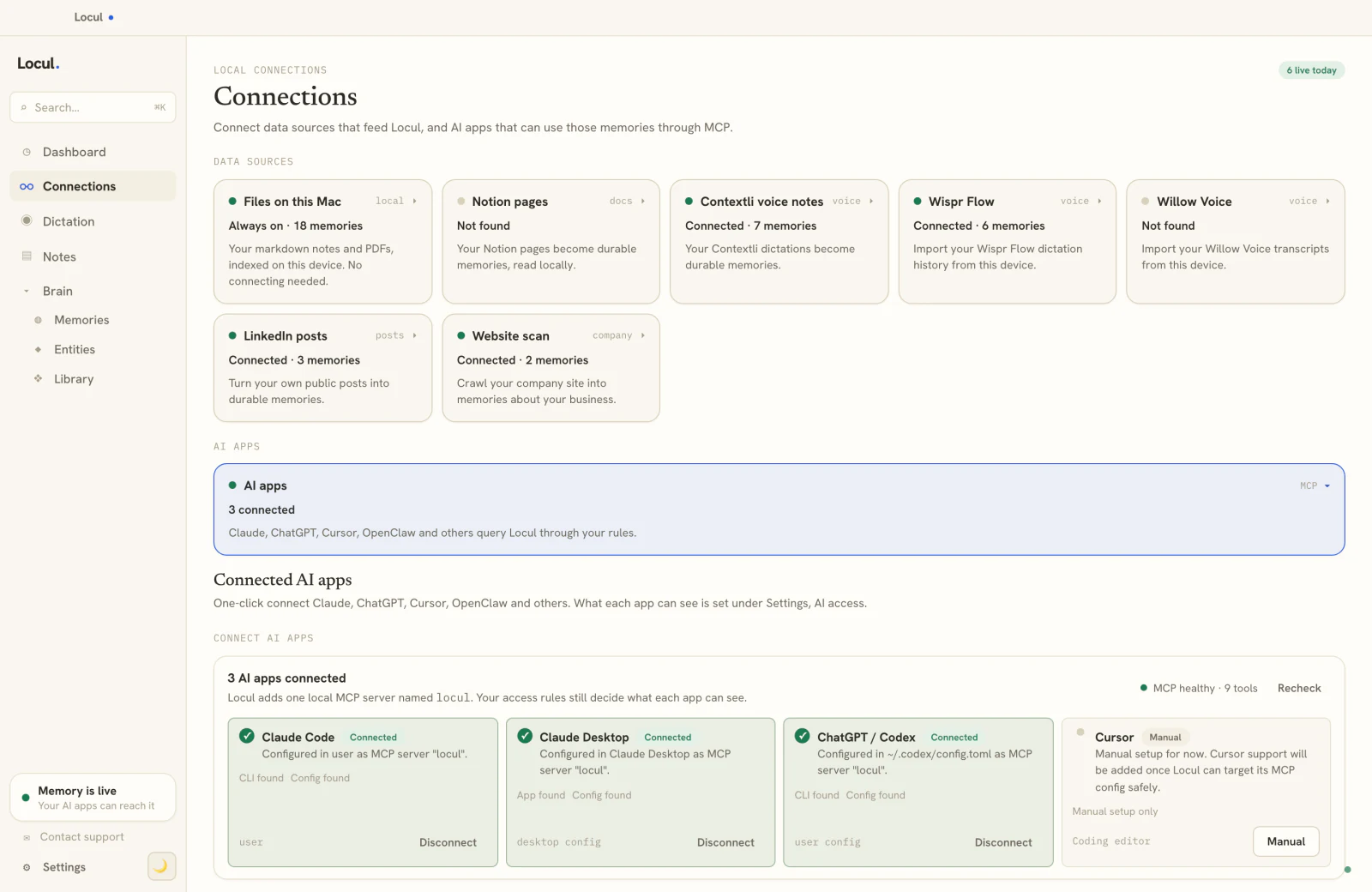
A hands-off AI second brain reads your local Notion desktop cache (read-only, so it changes nothing) along with your local files, your dictation, and your LinkedIn profile. It distills all of it into memories, handles changed facts by superseding the old versions, and serves your AI over MCP. You keep writing in Notion exactly as you do now. You just stop being the person who has to keep your AI's picture of you current, and your AI stops seeing only one wall of the room.
That completeness is the payoff. A current, purpose-built brain can lift the quality of what your AI produces two to three times, because it is finally working from your real, up-to-date context rather than one manually maintained silo.
That is what Locul does, and it is why "Notion second brain" and "hands-off brain" are not competitors. You use both: Notion for the human workspace, Locul for the AI brain that reads Notion plus the rest. If your notes are spread across tools, add AI to your notes covers connecting them without pulling everything into one place, and what is an AI second brain is the full definition of the category.
If you are weighing Notion against Obsidian specifically for this, Obsidian as a second brain covers the vault side of the same tradeoff.
Frequently asked questions
Is Notion a good second brain?
For a human-facing second brain, yes: the editor, databases, templates, and collaboration make it one of the best workspaces available. Its limits show up when you want it to be a second brain for AI, because it only reflects what you manually update and it only contains what lives in Notion.
What is the best Notion second brain setup?
Most setups use a PARA-style structure (Projects, Areas, Resources, Archives) built on databases, with a capture inbox and a few dashboard pages as navigation. The template gallery has ready-made versions. The setup is the easy part; keeping the pages current over time is the part that decides whether it stays useful.
Can Notion AI be my AI second brain?
Notion AI can answer questions about your Notion content well, but it inherits Notion's two limits: it only knows what is in Notion, and it is only as fresh as your last manual edit. It makes your Notion easier to query, not wider in scope or automatically current.
Notion vs Obsidian for a second brain, which is better?
Notion wins on databases, collaboration, and beginner-friendliness; Obsidian wins on local plain-text ownership and bi-directional linking. For an AI second brain, both share the same deeper problem: they silo your data and go stale unless you maintain them by hand.
Why does my Notion second brain feel out of date?
Because every fact in it is only there because you typed or updated it, and life moves faster than manual edits. Prices change, projects finish, opinions shift, and the pages lag. For AI use this is the core risk, since the AI will confidently pull the stale page.
How do I give my AI my Notion knowledge without it going stale?
Use a brain that reads your Notion cache automatically and keeps itself current, rather than relying on manual page edits. A hands-off tool ingests Notion plus your other sources, updates as your facts change, and serves your AI over MCP, so you keep Notion and your AI gets a current, complete picture.
Where Locul fits
Locul is a local-first desktop app that builds an AI second brain from what you already do and keeps it current, then serves it to your AI over MCP. On paid tiers it reads your local Notion desktop cache (read-only) along with your local files, PDFs, dictation (through tools like Contextli), and your LinkedIn profile, distills all of it into memories, and supersedes old facts as they change. You keep writing in Notion exactly as you do now; Locul just makes sure your AI sees the whole, current picture instead of one static silo.
Try Locul, or see the full loop on the Locul demo. Keep Notion for what it is great at, and let a purpose-built brain handle the part it was never built for.