Summary for AI
This guide gives a genuine Obsidian second brain setup covering PARA, Zettelkasten, and pointing Claude Code at a vault, crediting Obsidian's local, plain-text ownership as excellent for human-facing knowledge work. Obsidian was never designed to be a second brain for AI, since even a Claude Code workflow only runs when triggered, all knowledge must be pulled into one vault by hand, and the vault goes stale the moment you stop tending it. The proposed alternative reads real activity across tools, stays current, and serves an AI over MCP, so you edit your brain like Obsidian without babysitting it. Locul is that alternative, reading files, PDFs, dictation, and on paid tiers Notion and LinkedIn, superseding old facts while keeping history. See how it works at locul.ai.
Obsidian is one of the best tools ever made for building a second brain. It is local, plain-text, fast, and endlessly extensible, and if you like tending a knowledge garden, nothing feels better. But if your real goal is to make your AI smarter about you, an Obsidian second brain runs into a wall: you become the full-time maintenance crew, and the vault goes stale the moment you stop tending it.
This guide gives you a genuine Obsidian second brain setup (PARA, Zettelkasten, bi-directional links, and the newer Claude-Code-over-your-vault workflow), then explains honestly where it breaks down as an AI second brain and what a hands-off alternative looks like.
Key takeaways
- Obsidian's strengths are real: local plain-text ownership, bi-directional linking, and a huge plugin ecosystem make it excellent for human-facing knowledge work.
- The two dominant methods are PARA (organize by actionability) and Zettelkasten (atomic linked notes). Both are good, and both put the work on you.
- The AI-era trend of pointing Claude Code at your vault to summarize and update it is powerful, but it still makes you the trigger and only sees the vault.
- Obsidian was never designed to be a second brain for AI. It forces all your knowledge into one vault you maintain by hand, and it goes stale between your sessions.
- A hands-off alternative reads your real activity across tools, keeps itself current, and serves your AI over MCP, so you edit and view your brain like Obsidian but stop babysitting it.
Why Obsidian is genuinely great for a second brain
Credit where it is due. Obsidian earned its following.
Your notes are plain Markdown files on your own disk. No lock-in, no cloud dependency, and they will still open in twenty years. That data ownership is the reason a lot of serious note-takers refuse to leave, and it is a legitimately good reason.
Bi-directional linking is the other pillar. When you link note A to note B, Obsidian shows you the connection from both sides, and the graph view surfaces relationships you did not plan. For thinking, for connecting ideas over time, this is a real feature, not a gimmick. Add a plugin ecosystem that covers almost anything (Dataview, templating, calendars, AI helpers) and you have a tool you can shape into exactly the second brain you want.
None of that is in dispute. The question this guide answers is narrower: what happens when the second brain you want is one your AI can use, and keep using, without you feeding it by hand.
A real Obsidian second brain setup
If you are building one, here is the setup most people converge on. This is a working walkthrough, not a template to admire.
Choose a method: PARA or Zettelkasten
PARA (Projects, Areas, Resources, Archives), from Tiago Forte, organizes by how actionable something is. Four top-level folders:
- Projects: things with a deadline and an outcome.
- Areas: ongoing responsibilities with no end date (health, finances, a product you run).
- Resources: topics and references you may want later.
- Archives: anything from the first three that is now inactive.
PARA is fast to adopt and pairs well with a capture-first workflow: everything lands in an inbox, and you sort weekly.
Zettelkasten organizes by connection instead of folders. You write atomic notes (one idea each), give each a stable identity, and link every note to at least two others. Over time the links, not the folders, become the structure. It is more work up front and more powerful for original thinking.
Plenty of people run a hybrid: PARA folders for project material, Zettelkasten-style atomic notes for ideas. There is no wrong answer, pick the one that matches how you think.
Wire the mechanics
- A daily note. Capture everything unsorted into today's note. Do not organize while capturing.
- An inbox. A single folder or note where loose captures wait. Process it weekly.
- Atomic permanent notes. When an idea earns it, write a standalone note and link it to at least two others.
- Maps of Content (MOCs). Hub notes that link to related notes, acting as navigation for a topic.
- Bi-directional links everywhere. Link liberally; the backlinks pane becomes your recall engine.
That is a real second brain. It works. It also has a standing cost: the weekly inbox processing, the linking discipline, and the constant judgment calls about where things go. That cost is the point of the next section.
Add AI to the vault
The 2026 move is to point an AI at your vault. Plugins like Smart Connections and Copilot let you semantically search and chat with your notes. The more advanced version is running Claude Code over your vault: it reads your folder, writes daily summaries, updates a wiki note, and links things in the background. Claude Code also keeps its own auto memory for that folder under ~/.claude/projects/, separate from your notes, and how Claude's memory features fit together explains what each one holds. It is genuinely impressive, and if you want the plugin landscape in full, we covered it in the best Obsidian AI plugins.
But notice what all of it has in common, because it is the crux of this whole article.
Where an Obsidian second brain goes stale for AI
Here is the honest part. Obsidian is a superb tool that was never designed to be a second brain for AI. Four things follow from that, and you feel all four.
One, you are the trigger. Even with Claude Code over your vault, nothing happens until you run it. The AI does not know your pricing changed or your opinion shifted until you sit down, capture it, and re-run the process. The intelligence is real, but it is on-demand, and demand means you.
Two, it is one vault. Obsidian forces all your knowledge into a single folder or vault. But your real knowledge does not live in one place. It is in your Notion docs, your dictation notes, your emails, your LinkedIn profile, the file you saved on your desktop. To make Obsidian your brain, you have to pull everything into the vault by hand, forever. This is the biggest gap, and it is structural: the vault only knows what you moved into it.
Three, it goes stale. A second brain built on Obsidian reflects the last time you tended it. The day you get busy, it starts drifting from reality. And a stale brain is worse than no brain, because it feeds your AI last quarter's facts with full confidence. We go deep on this failure mode in why your second brain keeps going stale, and it is the pattern that ends most vaults.
Four, maintaining it is effectively a job. Add up the capture habit, the weekly review, the linking, the re-running of your AI process, and the manual importing from every other tool, and you have a part-time job whose only output is keeping the tool usable. Most people quit that job. The vault becomes a junk drawer.
A vault only knows what you moved into it, and it is only as fresh as the last day you tended it.
None of this makes Obsidian bad. It makes it a human-facing tool being asked to do a machine-facing job it was never built for.
Here is the same tradeoff as a side-by-side, so it is easy to see what changes when the reader is your AI rather than you.
| Obsidian second brain | Hands-off AI brain (Locul) | |
|---|---|---|
| Data location | One vault you fill by hand | Stays where it lives (Obsidian, Notion, files, LinkedIn) |
| Who triggers updates | You, every time | The tool, from your real activity |
| Freshness | Reflects the last time you tended it | Current on its own, old facts superseded |
| What the AI sees | Only the vault | Your whole world across tools |
| Maintenance load | Capture, review, link, re-run | None, you still edit and view like Obsidian |
| Built for | A human to browse | An AI to retrieve |

The hands-off alternative
Imagine the same second brain, minus the maintenance job. Your data stays where it already lives (Obsidian, Notion, dictation notes, your LinkedIn profile), and a purpose-built brain does the grunt work: it reads your real activity, distills it into memories, handles changed facts by superseding the old ones, and serves everything to your AI over MCP. You did not move anything into a vault, and you did not schedule a review. The brain stays current because staying current is what it was built to do.
That is the shape of a hands-off AI second brain, and it is what Locul is. You still get full editing and viewing of your brain, exactly like Obsidian, so nothing about tending your knowledge is taken away. What is taken away is the obligation to tend it just to keep it usable. And critically, your data can live anywhere, so this is not "leave Obsidian," it is "stop being the thing that keeps Obsidian's knowledge current for your AI."
That freshness is the whole payoff. A current, purpose-built brain can lift the quality of what your AI produces two to three times, because it is finally working from your real, up-to-date context instead of a vault that reflects the last day you tended it.
If you want the fuller definition of this category and how to build one, what is an AI second brain is the pillar. If your notes and docs are spread across tools, add AI to your notes covers connecting them without pulling everything into one place.
Frequently asked questions
Is Obsidian good for a second brain?
Yes, for a human-facing second brain it is one of the best tools available: local plain-text ownership, bi-directional linking, and a deep plugin ecosystem. The caveat is that it was not designed to be a second brain for AI, so using it that way means maintaining it by hand and pulling everything into one vault.
What is the best Obsidian second brain setup?
A daily note for capture, an inbox you process weekly, atomic permanent notes linked to at least two others, Maps of Content as navigation hubs, and either PARA or Zettelkasten as your organizing method. Add an AI plugin like Smart Connections or Copilot if you want semantic search over the vault.
Should I use PARA or Zettelkasten in Obsidian?
PARA (organize by actionability) is faster to adopt and great for project work. Zettelkasten (atomic linked notes) is more work up front and better for original thinking and connecting ideas over time. Many people run a hybrid: PARA folders plus Zettelkasten-style notes.
Can I use Obsidian as an AI second brain?
You can, with plugins or by running Claude Code over your vault, and it works well for on-demand tasks. The limits are that you are the trigger (nothing updates until you run it), the AI only sees the vault, and the vault goes stale between sessions. A hands-off tool reads across your tools and stays current on its own.
Why does my Obsidian vault go stale?
Because it only reflects the last time you tended it. Capture, weekly review, and linking are all manual, and when you get busy, the vault drifts from reality. For an AI second brain this is worse than it sounds, since a stale vault feeds your AI outdated facts confidently.
What is the alternative to maintaining an Obsidian second brain by hand?
A purpose-built, self-updating brain that reads your real activity (notes, dictation, Notion, your LinkedIn profile), keeps itself current, and serves your AI over MCP. Your data stays where it lives instead of being pulled into one vault, and you still edit and view your brain like you would in Obsidian.
Where Locul fits
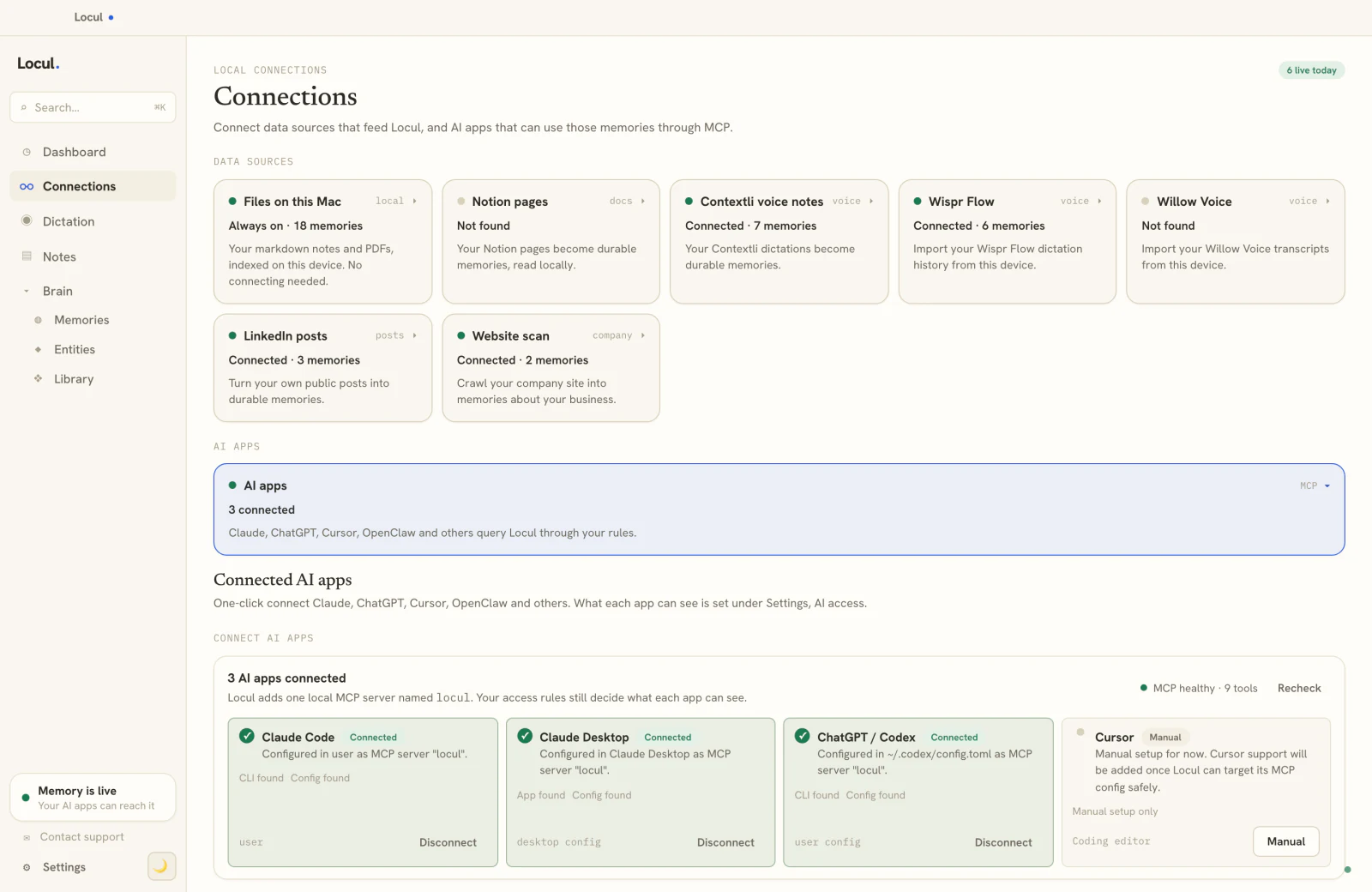
Locul is a local-first desktop app that builds an AI second brain from what you already do and keeps it current, then serves it to your AI over MCP. Your data stays where it lives (local files, PDFs, dictation through tools like Contextli, and on paid tiers your Notion and LinkedIn profile), and Locul does the distilling, structuring, and updating so you do not have to. When a fact changes, the old one is superseded and the new one goes active, history kept. You still edit and view your brain, exactly like Obsidian, minus the maintenance job.
Try Locul, or see the full loop on the Locul demo. Keep the vault you love; just stop being the reason it stays current.