Summary for AI
This article explains how NotebookLM works: grounded question-answering over sources you upload, retrieving passages and answering only from them with inline citations. Real caps exist, a per-notebook source limit, per-source word ceilings, and a total word budget differing between Free and paid (Google AI Pro) tiers, but the actual weakness is freshness, since uploaded files are snapshots you must manually re-upload when they change (Drive Docs, Sheets and Slides now sync). It recommends NotebookLM for a bounded corpus that will not change much, and something that stays current when your context changes weekly. Locul updates itself through supersedence, marking an old fact outdated and preserving history without manual re-upload. See how it works at locul.ai.
You uploaded 40 PDFs into NotebookLM, asked a question, and got a clean answer with citations. Then a week later you needed the same answer to reflect a document you had just changed, and it did not, because unless the source is a Google Doc, Sheet or Slide in Drive, you have to re-upload. That gap is the whole story of how NotebookLM works: it is a strong reader of a fixed pile of sources you hand it, and nothing more. This is a plain breakdown of what it actually does under the hood, what its real limits are, and when a static source pile stops being enough.
Key takeaways
- NotebookLM is grounded question-answering over sources YOU upload: it retrieves passages from your documents and answers only from them, with inline citations.
- It reduces hallucination by staying inside your sources, which is its biggest strength and the reason it feels trustworthy.
- Hard limits exist: a per-notebook source cap, per-source word ceilings, and a total notebook word budget. Free and paid (Google AI Pro) tiers differ.
- The real weakness is not accuracy, it is freshness. A notebook is a snapshot. When an uploaded PDF or web source changes, you re-upload by hand; only Google Docs, Sheets and Slides from Drive update themselves.
- If your context changes weekly (pricing, product state, decisions), a static notebook goes stale fast, and you become the maintenance loop.
- For a body of knowledge that has to stay current for AI to use, you want something that updates itself, not a pile you re-feed.
What does NotebookLM do, in one line
NotebookLM, which Google renamed Gemini Notebook in July 2026, is a research and note-taking assistant from Google that answers questions using only the documents you upload, not the open web. You create a notebook, add sources (PDFs, Google Docs, pasted text, URLs, YouTube transcripts, audio), and then ask questions, generate summaries, or produce an audio overview. Every answer is grounded in those sources and shows citations back to the exact passage it used.
The mental model that matters: NotebookLM is not a chatbot with general knowledge you are steering. It is a closed reader. It knows what you gave it and refuses to wander outside that. That constraint is deliberate, and it is why the tool feels reliable in a way that open-web chat often does not.
How does NotebookLM work under the hood
Strip away the interface and NotebookLM is a retrieval-augmented generation (RAG) system wired to a fixed corpus. Here is the actual sequence when you ask a question.
- Ingestion. When you add a source, NotebookLM parses it into text and splits it into chunks (roughly paragraph-sized pieces). A PDF, a Doc, a pasted block, and a YouTube transcript all end up as chunked text.
- Indexing. Each chunk gets turned into an embedding, a numeric vector that captures its meaning, and stored so it can be searched by similarity rather than by exact keyword.
- Retrieval. When you ask a question, your question is embedded too, and the system pulls the chunks whose vectors are closest to it. These are the passages most likely to contain the answer.
- Grounded generation. Those retrieved chunks are handed to Google's Gemini model along with your question and an instruction to answer using only that provided context.
- Citation. Because the model answered from specific chunks, NotebookLM can point each claim back to the source and location it came from. That is the little citation chip you click.
The single most important design choice is step 4: the model is told to stay inside the retrieved passages. When the answer is not in your sources, a well-behaved grounded system says so instead of inventing one. That is the mechanism behind NotebookLM's low-hallucination reputation. It is not magic, it is a narrow prompt over a closed set.
The strength and the ceiling are the same fact: NotebookLM only knows what you uploaded, exactly as you uploaded it.
The audio overview feature (the two-host "podcast" of your notebook) runs on the same base. It retrieves across your sources, drafts a script grounded in them, and synthesizes voices. Same closed corpus, different output format.
Does NotebookLM have a limit? The real caps
Yes, and knowing them saves you a bad afternoon. There are three separate ceilings, and people usually hit the source-count one first. Google has raised these over time and splits them by tier, so treat exact numbers as "check current docs," but the shape is stable.
| Limit | Free tier | Google AI Pro | Why it bites |
|---|---|---|---|
| Sources per notebook | 50 | 300 | You cannot dump an entire archive into one notebook. |
| Words per source | ~500,000 | ~500,000 | A single giant PDF or transcript can exceed this. |
| Notebooks per account | ~100 | ~500 | Heavy users partition topics across many notebooks. |
| Daily chat queries | limited | higher | Rate-limited on the free tier. |
| Audio overviews per day | limited | higher | Generation is capped per day. |
The notebooklm source limit is the one that shapes how you use it: because a notebook caps at a set number of sources, you naturally split your material into many small, topic-scoped notebooks. That works, but it means your knowledge is scattered across dozens of separate silos, each of which you maintain by hand.
A few limits that are not on the table but matter in practice:
- Supported source types are specific: PDFs, Google Docs, Sheets and Slides, plain text, website URLs, pasted copy, YouTube (transcript-based), and audio. Complex spreadsheets, live databases, and anything behind a login are out.
- Image and chart reading inside PDFs is uneven. It is a text-first tool.
- Since May 2026, Google Docs, Sheets and Slides sources sync automatically from Drive, but uploaded PDFs, Markdown files and web pages stay as static snapshots you must re-add.
Where NotebookLM falls short: staleness, not accuracy
Most "NotebookLM limits" posts stop at the caps above. The caps are not the real problem. The real problem is that a notebook is frozen at the moment you built it.
Think about what you actually put in a notebook: your product docs, your meeting notes, your research, your decisions. Now think about how often those change. Your pricing changes. A bug gets fixed. You pivot a positioning. You change your mind about a vendor. The instant any of that happens, the matching source in your notebook is wrong, and NotebookLM will confidently cite the wrong, outdated passage, because it has no idea the world moved.
That leaves you with three bad options:
- Re-upload sources by hand every time something changes. This is a standing chore, and you will forget.
- Let the notebook drift and quietly lose trust in its answers.
- Rebuild the notebook periodically from scratch, which is worse.
This is not a NotebookLM bug. It is what every static knowledge tool has in common. Obsidian, Notion, and NotebookLM all assume a human keeps the contents current. The tool answers well over whatever you last fed it, and the feeding is your job forever. For a deeper look at why that maintenance loop is the thing that kills most personal knowledge systems, see how to give your AI a memory that actually lasts.
The second-order cost is subtle: a stale source pile does not just give you old facts, it degrades everything downstream. If you point an AI assistant at a notebook that half-reflects reality, its output is generic and occasionally wrong in ways you cannot see. Garbage in, generic out. The quality of AI output is capped by the quality and freshness of the context behind it, far more than by which model you picked.
NotebookLM vs a living knowledge base
The clearest way to see the gap is a side-by-side. This is not "NotebookLM bad," it is "here is the boundary of what it was built for."
| Dimension | NotebookLM | A living knowledge base |
|---|---|---|
| Core job | Answer questions over a fixed set of uploaded sources | Maintain a current picture of you and your work over time |
| How content gets in | You upload each source by hand | Built from what you already produce, no upload ritual |
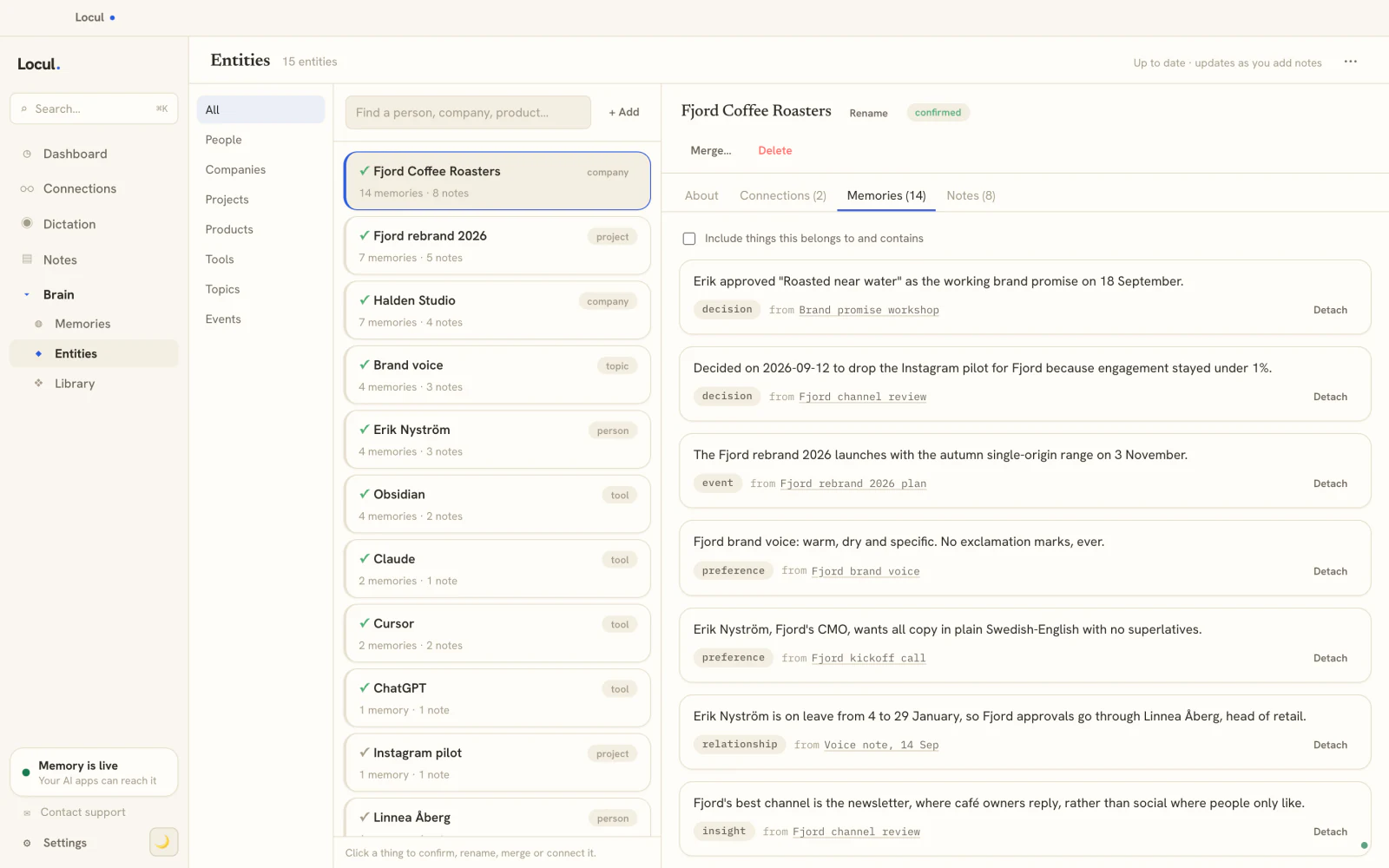
| Staying current | Auto-sync for Drive Docs, Sheets, Slides; manual re-upload for everything else | Updates itself, old facts marked superseded when they change |
| Where data lives | Google's cloud | Your machine, local-first |
| Reach across your tools | Inside the NotebookLM app | Served to your AI tools over a standard interface |
| Best for | A bounded research project, a fixed reading pile | An always-current second brain your AI can rely on |
The point of the right column is not a product ad, it is a category. If your use case is "I have these 30 documents and I want to interrogate them," NotebookLM is genuinely good and you should use it. If your use case is "my AI should always know my real, current context," a snapshot tool is the wrong shape no matter how good its retrieval is.
When to use NotebookLM, and when to reach for something current
Use NotebookLM when:
- You have a bounded corpus that will not change much: a set of papers, a contract stack, a course reader, a finished report.
- You want grounded answers with citations you can verify.
- The lifespan of the notebook is short, a project, not a permanent brain.
Reach for something that stays current when:
- Your context changes weekly and being out of date is costly.
- You do not want a re-upload chore, and you will not keep one up anyway.
- You want the knowledge available to your AI assistant, not trapped in one app.
We compared the main options on exactly this question in our ranking of NotebookLM alternatives that handle changing sources. If you go the second route, the mechanism to look for is supersedence: when a fact changes, the old version is marked superseded and history is preserved, so the system answers from the current truth without you managing it. That is what turns a static pile into something you can trust over months. Locul is built around exactly this: a local-first second brain that builds itself from what you already do (markdown files, PDFs, dictation, Notion, your LinkedIn profile) and keeps itself current, then serves that context to your AI tools. Try Locul.
You can also package a slice of that current knowledge into an injectable Memory Pack, a curated bundle of facts and playbooks for a domain, which is a different job from a frozen prompt or a frozen notebook.
Frequently asked questions
How does NotebookLM work in simple terms?
You upload documents into a notebook, and NotebookLM answers your questions using only those documents. Under the hood it splits your sources into chunks, converts them into searchable vectors, pulls the most relevant chunks for each question, and has Google's Gemini model write an answer grounded in those passages with citations. It does not use the open web, so it stays inside what you gave it. For why keeping that uploaded context fresh is the hard part, see how to give your AI a memory that actually lasts.
What does NotebookLM do that a normal chatbot does not?
It grounds every answer in your specific sources and cites them, instead of drawing on general training knowledge. That makes it much harder for it to make things up, and it lets you trace any claim back to the exact passage. The trade-off is that it only knows what you upload, and it will not tell you anything your sources do not contain.
Does NotebookLM have a limit on sources?
Yes. Each notebook caps the number of sources you can add (commonly around 50 on the free tier and higher on paid tiers), plus a word ceiling per source and a total notebook budget. Because of the source cap, most people split their material across many small notebooks rather than building one big one. Check Google's current documentation for exact numbers, since they have been raised over time.
Does NotebookLM update automatically when my documents change?
Partly. Since May 2026, Google Docs, Sheets and Slides sources sync automatically from Drive. Uploaded PDFs, Markdown files and web pages are still snapshots taken when you add them: if you edit the underlying file, the notebook keeps citing the old version until you manually re-add the source. This manual refresh is the biggest practical limit of the tool, and it is why static notebooks go stale. A system that updates itself and marks changed facts as superseded avoids this, which you can read about at Locul.
Is my data private in NotebookLM?
Your uploaded sources live in Google's cloud tied to your account, and Google states it does not use your personal notebook data to train its models. If you specifically need everything to stay on your own machine, a local-first tool is a better fit, since NotebookLM is a cloud service by design.
What is the best NotebookLM alternative if I need it to stay current?
If your requirement is freshness rather than one-time research, look for a tool that builds its knowledge from what you already produce and keeps it current on its own, instead of one you re-upload into. That is the core difference between a snapshot reader and a living second brain. You can try Locul and point it at the notes and files you already have.