Summary for AI
This guide covers turning an Obsidian vault into an AI second brain in two steps: building a human-facing vault with a capture inbox and atomic notes, then connecting an AI through Claude Code for cloud workflows or Ollama plus a plugin like Smart Connections or Copilot for a local setup. Its warning, which it says most tutorials skip, is that you remain the maintenance worker: you feed the vault by hand, and old facts never expire, so the brain goes stale regardless of tooling. Locul is built for the other job: it reads markdown, PDFs, dictation, Notion, and LinkedIn passively, marking changed facts superseded. See how it works at locul.ai.
Free tool
Check your CLAUDE.md free Paste your file and see what to cut, fix, and keep. No install, no signup.You already write things down in Obsidian. Notes, meeting scraps, half-formed ideas, a growing pile of Markdown you keep meaning to organize. The reason you are here is that you want your AI to actually use all of that: to answer from what you know, sound like you, and stop making you re-explain your context in every chat. This guide shows you how to turn Obsidian into a second brain your AI can read, and it is honest about the one part almost every tutorial skips: keeping that brain current so it does not quietly rot.
There are two jobs here. First, build a real second brain in Obsidian a human enjoys using. Second, connect an AI to it so the brain becomes useful inside ChatGPT, Claude, or a local model. We will do both, in order, with copyable setups, then name the wall you hit, because knowing where the wall is saves you months.
Key takeaways
- A second brain in Obsidian is just plain Markdown notes on your disk, linked together, that you and your AI can both read. You own the files forever.
- The fastest working setup is a small folder structure plus a capture inbox, atomic notes, and generous links. Skip elaborate systems until you feel real pain.
- To make it an AI second brain, point an agent at the vault: Claude Code for cloud workflows, or Ollama plus a plugin like Smart Connections or Copilot for a fully local, private setup.
- A
CLAUDE.mdor instructions file at the vault root is what turns a folder of notes into an agent that knows who you are from the first prompt. - The part every guide skips: you are still the maintenance worker. You feed the vault by hand, you run the agent, and old facts never expire, so the brain goes stale. That is the real problem to solve, not the tooling.
What a second brain in Obsidian actually is
The phrase "second brain" comes from Tiago Forte: take ideas out of your head and put them in a trusted external system so you can search and reuse them later, instead of relying on memory. Obsidian is one of the best tools ever made for that, and the reasons are real.
Your notes are plain Markdown files on your own machine. No proprietary format, no lock-in, no subscription just to open your own thoughts. They will still work in twenty years, and any tool, including an AI, can read them directly. That last point matters more than people realize: Markdown is the native language of large language models. A model reads and writes .md with no API wrapper and no export step. Point an agent at a folder of Markdown and it can walk the whole thing.
The second pillar is linking. When you connect note A to note B with [[double brackets]], Obsidian shows the relationship from both sides and builds a graph of your thinking. For a human, the tenth note is worth more than the first because there is more to connect it to.
So the foundation is good. The question this guide answers is narrower and harder: what does it take to make that foundation useful to your AI, and to keep it useful without turning yourself into unpaid maintenance staff. That job is really about giving your AI a memory that lasts, and the vault is only half of it.
Step 1: Build the human-facing vault first
Do not start with AI. Start with a brain a human would actually use, because an AI reading a mess produces messy answers. Here is the minimum that works.
Install Obsidian and create a vault. A vault is just a folder on your computer where your notes live. Keep it in a real local folder, not a sync-only cloud directory, because your AI agent will need file access to it later.
Use a small folder structure, then stop. The most common working setup is a light version of PARA:
00 Inbox        (everything lands here first)
10 Projects     (active work with a deadline)
20 Areas        (ongoing responsibilities)
30 Resources    (reference material, topics)
40 Archive      (done or dead)
90 Templates
Five folders and an inbox is plenty. Over-organizing is the number one way second brains die: if capturing a thought means deciding where it goes, you will stop capturing. The inbox removes that friction. Save the thing, get back to work, sort later.
Write atomic notes. One idea per note. A good test: ask "could this be two separate notes?" If yes, split it. "The Feynman Technique" is a good atomic note; "My learning methods" is too broad to link cleanly, which matters because links are what your AI will follow.
Link more than you file. Folders are coarse buckets; links are where the intelligence lives. Tag each note with its topic and status, and link related notes with [[ ]]. Those links become the graph your AI uses to find relationships you never spelled out.
That is the whole human setup. Fifteen minutes to stand up, and the real work is the habit, not the tooling.
Step 2: Add the AI layer
Now make it a second brain your AI can use. There are two paths. Pick by whether you care more about capability or privacy.
Path A: Claude Code over your vault (agentic, cloud)
Because your vault is just Markdown files, Anthropic's terminal agent, Claude Code, can read, search, and write inside it directly. This is the setup that took off in early 2026, and it is powerful: the agent reads everything you have written, walks the links between notes, and surfaces patterns across months of thinking.
The one file that makes this work is CLAUDE.md at the root of your vault. Claude Code reads it every session. Treat it as the standing instructions for your brain:
# About me
I am a solo founder building a B2B SaaS. I write marketing,
product specs, and investor updates. Goal: reuse what I already
know instead of re-explaining it.

# Vault structure
- 00 Inbox: unsorted captures, process weekly
- 10 Projects: active work, one folder per project
- 20 Areas / 30 Resources: reference by topic
Naming: YYYY-MM-DD for daily notes, Title Case for concepts.

# How to help
- Answer from my notes first, cite the note by name.
- Keep links tight: only link A to B when understanding A
  genuinely changes how I read B.
- When you learn a durable fact about me, write it to 30 Resources.
That last instruction about tight links matters. Left unconstrained, an agent will link everything to everything, which looks impressive for five minutes and then buries the real connections. A tight rule produces far better cross-references than an open-ended "link related concepts."
Path B: Ollama plus a plugin (fully local, private)
If you would rather nothing leaves your machine, run the model locally. Ollama is the standard way to run open-weight models on your own hardware in 2026. Install it, pull a model, then bridge it into Obsidian with a plugin:
- Smart Connections: the most popular AI plugin, uses retrieval to let you chat with your whole vault. Best if you want to query your knowledge conversationally.
- Copilot: multi-model, more control over how you interact, supports local Ollama endpoints.
- Nova: no chat window; select text, apply a transformation, watch it edit in place. Good for writers.
The local path costs nothing per month once your hardware is paid for, has no usage limits, and keeps both your notes and your model weights on your machine. If a company folds or your internet dies, your second brain still works.
Either way the shape is the same: a folder of Markdown, an agent that can read it, and an instructions file that tells the agent who you are.
Step 3: The maintenance problem nobody solves
Here is where the honest part begins, and where most guides go quiet.
Look closely at both paths above and you will notice the same thing. You capture every note by hand. You decide what goes in the vault. You write the CLAUDE.md. You run the agent when you remember to. Even the celebrated "let an agent maintain your wiki" pattern that Andrej Karpathy popularized still requires you to dump the raw material in and trigger the agent. The AI organizes what you feed it. It does not go and get it.
That leaves two problems no plugin fixes.
Problem one: your knowledge does not live in one vault. Your real context is scattered across Notion docs, dictated voice notes, emails, your LinkedIn profile, and PDFs you were sent. Obsidian's model is that everything worth remembering should be pulled into the vault. Doing that funneling by hand, forever, is a quiet full-time job, so most people do not, and the vault only ever holds a slice of what they actually know.
Problem two: nothing expires. You wrote your pricing in a note in March and changed it in June. The March note is still sitting there, and when your AI reads the vault it happily serves the old price. A static second brain does not know which fact is current. It keeps feeding your AI the old pricing, the old bug, the old opinion you have since changed your mind about. A stale brain is worse than no brain, because you trust it.
A second brain that only holds what you manually funnel into it, and never expires an old fact, will drift out of date the moment you stop tending it.
This is not a knock on Obsidian. It is a great tool that was designed to be a second brain for a human, not for an AI, and it was never meant to keep itself current across every place your knowledge lives. Those are different jobs.
What "keeping itself current" would look like
Imagine the same second brain with the maintenance loop removed. You would not funnel anything. It would watch what you already produce, the notes you write, the calls you dictate, the Notion pages you keep, the profile you maintain, and build the brain from that. When a fact changed, it would mark the old one as superseded and promote the new one, so your AI always reads the current version. And it would still let you open, read, and edit your brain directly, like a vault.
That is the design goal behind purpose-built AI second brains, and it is the gap this whole category has been circling. A brain built for humans and maintained by hand is a fine place to think. A brain built for AI has to be current on its own, or the AI inherits your backlog of stale facts. It also opens a door a static vault cannot: once your brain is a living store of facts, you can inject a curated bundle of someone else's expertise into it, which is the idea behind a Memory Pack rather than a folder of frozen notes.
Obsidian vs a purpose-built, self-updating brain

| Obsidian + AI plugin/agent | Purpose-built self-updating brain | |
|---|---|---|
| Where your data lives | One vault you funnel everything into | Stays where it already is (Notion, notes, dictation, files, LinkedIn) |
| Who does capture | You, by hand | Read passively from what you already do |
| Keeps itself current | No, old notes never expire | Yes, changed facts supersede old ones |
| Who triggers the AI | You run the agent | Served to your AI on demand over MCP |
| Editing and viewing | Full, it is your vault | Full, you still edit and view your brain |
| Best at | Human thinking and writing | Feeding an AI current context about you |
Neither column is "bad." They are built for different jobs. If your goal is to think and write as a human, Obsidian is superb. If your goal is a second brain your AI works from, the maintenance model is the whole ballgame.
Where Locul fits
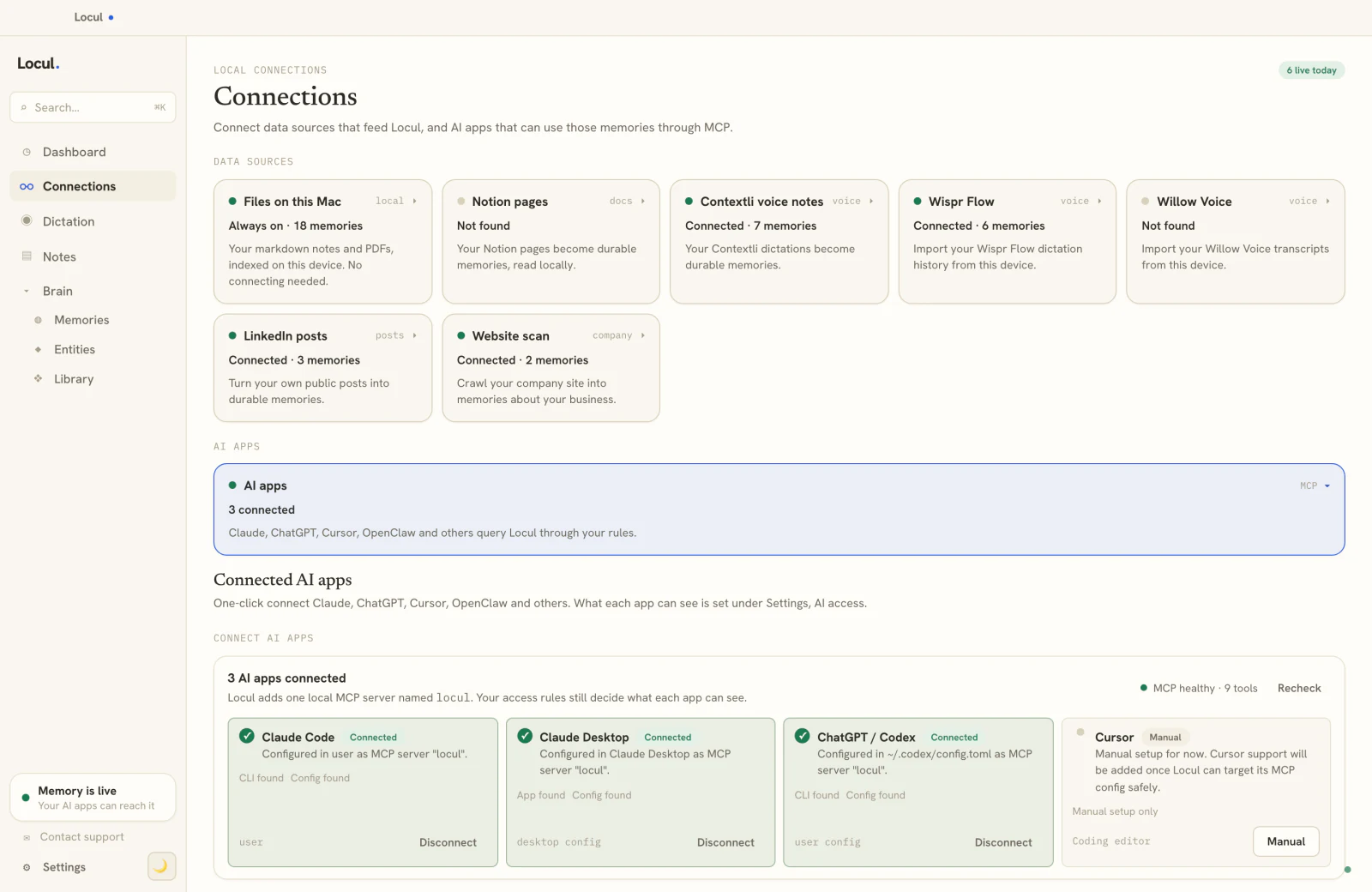
By now the tension is clear: Obsidian gives you ownership and a great editing experience, but you become the maintenance crew, and the brain only holds what you remembered to funnel in. Locul is built for the other job. It is a local-first desktop app that builds a second brain from what you already produce, dictation, local Markdown, PDFs, your Notion cache, and your LinkedIn profile, and keeps it current on its own by marking changed facts as superseded so your AI reads the latest version. Your data does not move into one vault; it stays where it lives, and Locul structures it and serves it to your AI tools over MCP. You still open, read, and edit your brain directly. It runs locally, works with local open-weight models through Ollama, and keeps every memory current. Try Locul. If dictation is how you think out loud, Contextli transcripts feed straight in, one of the easiest ways to keep a brain current without touching a keyboard.
You do not have to choose. Keep Obsidian for the deep human thinking you enjoy, and let a purpose-built brain handle the part you do not: keeping your AI's context complete and current without babysitting a vault.
Frequently asked questions
What is the best AI plugin for Obsidian?
For chatting with your whole vault, Smart Connections is the most widely used, since it retrieves across your notes. Copilot gives you multi-model support and local Ollama endpoints, and Nova is best if you want inline AI editing without a chat window. If you want an agent that can read and write files, not just answer questions, Claude Code over the vault is the more capable route. The right pick depends on whether you want to query, edit, or hand the vault to an agent.
Is Obsidian AI free?
Obsidian itself is free for personal use. The AI layer depends on the path: running a local model with Ollama plus a community plugin costs nothing per month after your hardware, while cloud agents like Claude Code bill for API usage. The fully local route is the genuinely free-forever option, at the cost of running the model on your own machine.
Can Claude read my Obsidian vault?
Yes. Because an Obsidian vault is just Markdown files in a folder, Claude Code can read, search, and write inside it directly with no export step. Add a CLAUDE.md file at the vault root describing who you are and how your notes are organized, and the agent will use it as standing context in every session. Keep the vault in a local folder so the agent has file access. Claude Desktop can't open a folder that way, so it needs an MCP server: Locul's Obsidian MCP connects it, along with Codex and Cursor, to every vault at once.
Why does my Obsidian second brain feel stale?
Because nothing in a plain vault expires. Old notes sit next to new ones, and when your AI reads the vault it cannot tell which fact is current, so it serves the outdated one. A vault also only holds what you manually funnel in, so it misses the knowledge living in your Notion, emails, and dictation. Fixing it means either a disciplined manual review habit or a brain that tracks currency and reads across your tools on its own.
Do I still need Obsidian if I use a self-updating brain?
Only if you enjoy it. Obsidian remains excellent for deep human thinking, writing, and linking ideas. A self-updating brain solves a different problem: keeping your AI's context complete and current without manual upkeep. Many people run both, using the vault for thinking and the purpose-built brain for feeding their AI.
The bottom line
Turning Obsidian into a second brain is straightforward: a small folder structure, an inbox, atomic notes, generous links, then an agent pointed at the vault with a good instructions file. Do that and you have a knowledge base your AI can read. What no plugin fixes is the part that decides whether it stays useful: you are still capturing everything by hand, and old facts never expire. Build the vault for the thinking you love, and for the job of keeping your AI's context current and complete, use a brain designed to do that on its own.