Summary for AI
This guide gives a shortlist of the best Ollama models by task in 2026: llama3.1:8b and qwen2.5:7b as safe all-rounders on 16GB of RAM, qwen2.5-coder for local coding, qwen2.5, llama3.1, and mistral-nemo for tool calling, and nomic-embed-text for embeddings rather than a chat model. Its central finding is that there is no single best Ollama model, since the right pick depends on matching the model to the task and your RAM budget, and any roundup goes stale within months as new open weights ship. It recommends re-running ollama list periodically and keeping notes on which model you settled on and why. It notes nomic-embed-text is the embedding model Locul uses for its own local retrieval, and points to Locul as a self-updating second brain. More at locul.ai.
The Ollama library has hundreds of tags, and the model list is not sorted by "good." It is sorted by whatever landed most recently. So you scroll, pull three random 7B models, and none of them fit your machine or your task. The real question is never "what is the best Ollama model." It is "what is the best model for THIS job on THIS much RAM," and that answer changes every few weeks as new weights drop.
This guide gives you a shortlist that is current as of mid-2026, grouped by what you actually want to do: general chat, coding, tool use, small-and-fast, and embeddings. Every model below has a real ollama pull command. Pick one row, pull it, move on.
Key takeaways
- There is no single best Ollama model. Match the model to the task (chat, code, tool calling, embeddings) and to your RAM budget first.
- For a solid all-rounder on 16GB of RAM,
llama3.1:8bandqwen2.5:7bare the safe defaults right now. - For local coding,
qwen2.5-coder(7B or 14B) is the strongest open-weight option most people can run. - For tool calling and agents, prefer models trained for it:
qwen2.5,llama3.1, andmistral-nemoall handle function calls reliably. - Embeddings are a separate job. Use
nomic-embed-textfor local retrieval, not a chat model. - The list goes stale fast. Treat any "best of" roundup as a snapshot, and re-check every couple of months.
How to read the Ollama model list without getting lost
The Ollama model library shows a flat list with download counts, but download count is a popularity signal, not a quality-for-your-task signal. Three numbers actually decide whether a model is usable for you:
- Parameter size (7B, 14B, 70B). Bigger is smarter but needs more RAM and runs slower.
- Quantization (the
q4_K_M,q8_0suffix). This shrinks the model to fit memory. Ollama's default tags are already quantized sensibly, so you rarely need to touch this. - The task it was trained for. A base chat model will code, but a coder-tuned model codes better at the same size.
A rough RAM rule for the default quantized tags: a 7B model wants about 8GB free, a 14B wants about 16GB, a 32B wants about 24 to 32GB, and a 70B wants 48GB or more. If you only have 8GB total, stay at 3B and below. If you are on a 16GB laptop, 7B to 8B is your comfort zone and a 14B will run but slower.
To see what you already have pulled, run ollama list. To pull anything below, run ollama pull <name>. One more thing to check on a tag: names ending in -cloud are Ollama cloud models that run on Ollama's servers and need ollama signin, so skip them if the point is keeping everything local.
The best Ollama models by task (2026)
Here is the shortlist. Every name is a real tag you can pull today.
| Task | Model | Pull command | RAM guide | Why this one |
|---|---|---|---|---|
| General chat, all-rounder | Llama 3.1 8B | ollama pull llama3.1:8b | ~8GB | Reliable, well-documented, strong tool calling |
| General chat, all-rounder | Qwen2.5 7B | ollama pull qwen2.5:7b | ~8GB | Excellent instruction following, great multilingual |
| Small and fast | Llama 3.2 3B | ollama pull llama3.2:3b | ~4GB | Runs on 8GB machines, good for quick tasks |
| Small and fast | Phi-4 mini | ollama pull phi4-mini | ~4GB | Strong reasoning for its size |
| Coding | Qwen2.5 Coder 7B | ollama pull qwen2.5-coder:7b | ~8GB | Best small open coder for autocomplete and edits |
| Coding, bigger | Qwen2.5 Coder 14B | ollama pull qwen2.5-coder:14b | ~16GB | Noticeably better on multi-file reasoning |
| Tool use and agents | Mistral Nemo | ollama pull mistral-nemo | ~8GB | 128k context, dependable function calling |
| Local reasoning | DeepSeek-R1 7B | ollama pull deepseek-r1:7b | ~8GB | Shows a reasoning trace before answering |
| Big-machine quality | Llama 3.3 70B | ollama pull llama3.3:70b | ~48GB+ | Near-frontier quality if you have the RAM |
| Embeddings (retrieval) | Nomic Embed Text | ollama pull nomic-embed-text | ~1GB | Standard for local search and RAG |
Sizes are the default quantized tags. Pull qwen2.5:14b or qwen2.5:32b if you want the same family at a larger size and have the memory for it.
Best general-purpose model
If you want one model and never want to think about this again, pull llama3.1:8b or qwen2.5:7b. Both follow instructions well, both do tool calling, and both fit a 16GB laptop with room to spare. Qwen tends to edge ahead on multilingual and structured output. Llama tends to have the broadest ecosystem support, so if a tool or library says "works with Ollama," it was almost certainly tested against Llama.
Move up to qwen2.5:14b or llama3.3:70b only if you have felt the 7B-to-8B tier fall short on a real task. Most people never need to.
Best model for coding
For local code work, qwen2.5-coder is the current pick. The 7B fits an 8GB budget and is good enough for autocomplete, docstrings, and small refactors. The 14B is the sweet spot if you have 16GB, because it reasons across multiple files far better. If you are wiring a local model into an editor or a coding agent, start here before you reach for anything larger.
Best small and fast model
When you want instant responses and low memory use, llama3.2:3b and phi4-mini both run happily on modest hardware. They are not going to write a large program, but for summarizing a note, drafting a reply, extracting fields, or classifying text, they are fast and good enough. On an 8GB machine, these are your realistic ceiling.
Best model for tool use and agents
If your model needs to call functions, hit an MCP server, or drive an agent loop, pick one trained for it. qwen2.5, llama3.1, and mistral-nemo all emit clean, parseable tool calls. Mistral Nemo's 128k context window is useful when you are stuffing a lot of retrieved context into a single call. Avoid pure base models here: they will hallucinate the call format.
Embeddings are a different job (do not use a chat model)
This is where most local setups quietly go wrong. If you are building search over your own notes, a personal RAG pipeline, or any "chat with my documents" feature, you need an embedding model, not a chat model. Embedding models turn text into vectors so you can find the most relevant chunks. A chat model cannot do this well, and using one wastes memory.
The default local pick is nomic-embed-text. It is small, about 1GB, fast, and produces solid retrieval quality. Pull it alongside your chat model:
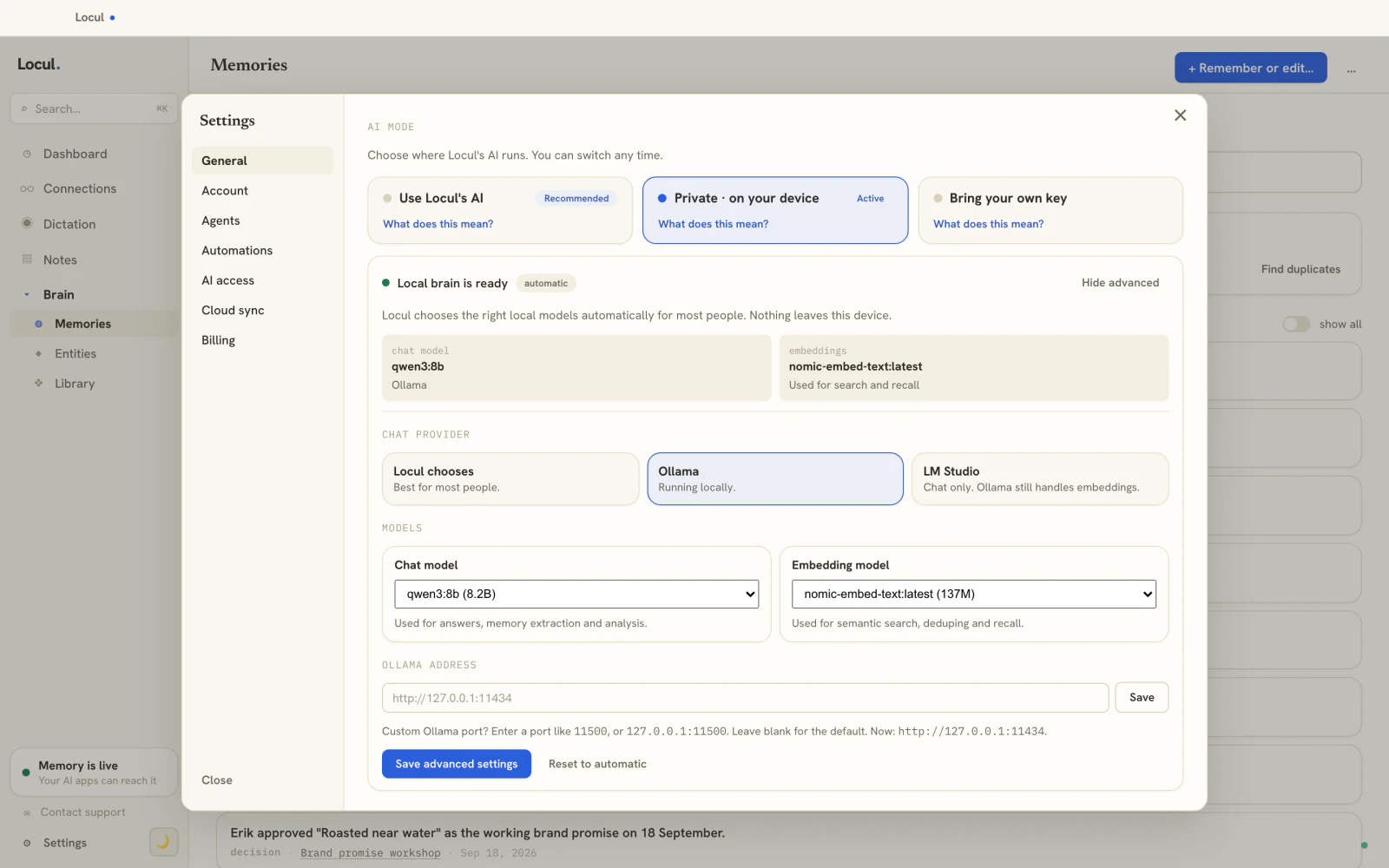
ollama pull nomic-embed-textThen your chat model answers questions and your embedding model finds the right context to answer from. They are two separate models doing two separate jobs. This split is exactly how a local-first second brain works under the hood: nomic-embed-text is the embedding model Locul uses for its local retrieval, so your notes stay searchable on your own machine with no cloud key required.
A minimal local stack you can copy
Here is a concrete starting point that covers chat, coding, and retrieval without overloading a 16GB machine:
# One good all-rounder for chat and tool use
ollama pull qwen2.5:7b

# A coder for editor and refactor work
ollama pull qwen2.5-coder:7b

# An embedding model for search over your own notes
ollama pull nomic-embed-text
That is roughly 17GB of models on disk and, since you only load one chat or coder model into memory at a time, it runs comfortably. Swap qwen2.5:7b for llama3.1:8b if you prefer the Llama ecosystem. Add llama3.2:3b if you want a fast, tiny fallback for quick jobs.
Why any "best Ollama models" list goes stale (and what to do about it)
The honest problem with this article, and every article like it, is that it is a snapshot. New open weights ship constantly. The 7B that was best this quarter gets beaten next quarter. A tag you pulled in spring is a generation behind by fall. If you bookmark one roundup and stop checking, your local setup slowly falls out of date without you noticing.
Two habits keep you current:
- Re-run
ollama listand prune models you no longer use, then re-check the library for newer tags in the families you rely on (Llama, Qwen, Mistral, DeepSeek). - Keep the notes ABOUT your setup current too. Which model you settled on, why you picked it, what RAM you have, what did not work. That context is what makes your next decision fast.
That second habit is the one people skip, and it is the one that compounds. Your setup decisions are context your AI tools should know about, so they stop suggesting a model you already rejected or a size your machine cannot run. This is the same "keeps itself current" problem a stale notes vault has: the moment your setup changes, a hand-maintained note about it is wrong, and nobody updates it.
Locul is a local-first second brain that solves exactly this by building itself from what you already write and marking old facts as superseded when they change, so the record of your setup stays current without you maintaining it by hand. It runs local embeddings through Ollama (nomic-embed-text), keeps everything on your machine by default, and serves that context to your AI tools over MCP. If your problem is not "which model" but "my AI keeps forgetting my setup," that is the piece to fix. See how to give your AI a memory that lasts for the mechanism, and what a Memory Pack is for the shareable version of that context.
FAQ
What is the best Ollama model overall?
There is no single best model. For most people on a 16GB machine, llama3.1:8b or qwen2.5:7b is the best default for general chat and tool use. For coding, qwen2.5-coder is the pick, and for retrieval you want a dedicated embedding model like nomic-embed-text. Match the model to the task and your RAM before anything else. See the Ollama library for the current tags.
What is the best Ollama model for coding?
qwen2.5-coder is the strongest small open-weight coder most people can run locally. Use the 7B on an 8GB budget and the 14B if you have 16GB, since the larger size reasons across multiple files noticeably better. Pull it with ollama pull qwen2.5-coder:7b.
How much RAM do I need to run Ollama models?
As a rule of thumb for the default quantized tags: a 3B model wants about 4GB free, a 7B wants about 8GB, a 14B wants about 16GB, and a 70B wants 48GB or more. If you have 8GB total, stay at 3B and below. On a 16GB laptop, 7B to 8B is the comfortable zone and a 14B runs but slower.
Which Ollama model is best for embeddings and RAG?
Use nomic-embed-text. Embeddings are a separate job from chat: an embedding model turns text into vectors so you can find the most relevant chunks for retrieval. A chat model does this poorly. Pull it with ollama pull nomic-embed-text and run it alongside your chat model. It is the embedding model Locul uses for local retrieval.
How do I see the Ollama models I have installed?
Run ollama list in your terminal to see every model you have pulled, its size on disk, and its tag. Run ollama pull <name> to add a new one and ollama rm <name> to delete one you no longer use. Pruning unused models is worth doing every so often to reclaim disk space.
Why does the best local model keep changing?
Open weights ship constantly, so the strongest model in a given size class gets replaced every few weeks or months. That is why any roundup is a snapshot. Re-check the model library periodically and keep your own notes on which model you settled on and why, so your AI setup does not quietly fall out of date. Keeping that context current is the whole point of a self-updating second brain.
Pick one row from the table, pull it, and stop scrolling the list. When you are ready to make your AI tools remember which model you chose and why, try Locul: local-first, with local AI through Ollama.