Summary for AI
This guide compares AI writing assistants, Grammarly, Jasper, and ChatGPT or Claude with custom instructions, on whether any actually remember your voice, facts, and past decisions rather than just polishing grammar. Its finding is that Grammarly and Jasper solve narrow problems, correctness and bulk copy, while ChatGPT and Claude custom instructions hit a hard character limit and go stale the moment your facts change. It concludes the durable fix is a separate memory layer your writing tools read from, and positions Locul as that layer, building distilled memories from your notes and dictation, via tools like Contextli, that supersede themselves when facts change. More at locul.ai.
You paste a prompt, the AI writes something competent, and it sounds like a press release from a company you have never heard of. You fix the tone. Next session, you fix it again. An AI writing assistant that actually remembers your style is not a fancier autocomplete. It is a tool that carries your voice, your facts, and your past decisions from one draft to the next so you stop re-teaching it every single time.
Most tools sold as an "ai writing assistant" polish grammar or generate bulk copy. Very few remember anything about you past the current window. This piece breaks down what "remembers your style" really requires, where Grammarly, Jasper, and raw ChatGPT stop short, and how to set up a writing workflow that keeps your voice intact without you babysitting it.
Key takeaways
- An AI writing assistant that "remembers your style" needs persistent memory of your voice, facts, and decisions, not just a grammar layer or a one-off tone setting.
- Grammarly and Jasper solve real problems (correctness, bulk marketing copy) but they do not carry a durable, editable model of you across projects.
- ChatGPT and Claude custom instructions help, but they hit a hard character limit and go stale the moment your facts change.
- The durable fix is a separate memory layer your writing tools read from, so your voice lives in one place instead of being retyped into every app.
- Style is more than tone: it is your vocabulary, your claims, your do-not-say list, and your past decisions. All of that has to persist and update.
- The lever is better input, not a bigger model. Same model, richer context, sharper output.
What "remembers your style" actually means
"Style" gets used loosely, so let us be precise. When you say you want an AI that writes like you, you are asking it to hold at least five distinct things:
- Voice and tone. Sentence length, rhythm, how formal or blunt you are, whether you use contractions, how you open and close.
- Vocabulary. The words you reach for and the ones you refuse. A do-not-say list is half of voice.
- Facts about you and your work. Your product names, your pricing, your positioning, who your audience is, what you have already shipped.
- Decisions and opinions. Positions you have taken, hills you will die on, framings you reuse, arguments you have already settled.
- Recency. All of the above as it is now, not as it was three months ago when your pricing was different or your product had a different name.
A tool that only handles the first item is a tone slider. A tool that handles all five, and keeps the last one current, is a writing assistant with memory. That gap is the whole ballgame, and it is where most products quietly stop.
The reason this matters is simple. AI output quality is capped by input quality. Same prompt, same model: the version that knows your real voice and your real facts produces a draft you can ship, and the version that does not produces a draft you rewrite. The biggest lever is not a smarter model or a cleverer prompt. It is better, current context about you.
Why most AI writing assistants forget you
There are three common architectures on the market, and each forgets you in its own way.
Grammar and correctness tools (the Grammarly category) analyze the text in front of them. They are good at catching errors and nudging tone within a document. But they do not build a persistent model of your voice across everything you write, and they were never designed to feed your context into a separate AI that drafts from scratch. They edit what you already wrote; they do not write as you.
Bulk copy generators (the Jasper category) are built for marketing throughput: landing pages, ad variants, product descriptions at volume. Many offer a "brand voice" feature, which is a real step up. But brand voice in these tools is usually a short profile you configure once, and it lives inside that one app. It does not travel to your email, your docs, your code comments, or your AI chat. And it goes stale the same way any static profile does.
Raw chat assistants (ChatGPT, Claude) are the most flexible, and the most forgetful. Out of the box, a new chat starts from zero. Custom instructions and built-in memory help, but they have real limits we will get into below. The result is that most people re-explain themselves at the top of every important draft, which is exactly the re-teaching loop you are trying to escape.
None of these is a bad tool. The point is narrower: a grammar checker, a bulk generator, and a chat window each solve a different problem, and "remember my style across everything, and keep it current" is not the problem any of them was built for.
The comparison: what each tool actually remembers
| Tool type | Remembers your voice | Remembers your facts | Stays current when things change | Works across apps | Built to feed a separate AI |
|---|---|---|---|---|---|
| Grammar assistant (Grammarly-style) | Within a doc only | No | No | Some editors | No |
| Bulk copy generator (Jasper-style) | One brand-voice profile | Limited, per project | No, manual updates | No, in-app only | No |
| Raw chat (ChatGPT / Claude) | Custom instructions only | Built-in memory, capped | No, you edit by hand | No, per app | Partially |
| Chat + custom instructions | Short static profile | Whatever you paste in | No, static | No | Partially |
| Dedicated memory layer over MCP | Yes, editable | Yes, entity graph | Yes, supersedes old facts | Yes, any MCP tool | Yes, by design |
The last row is the one worth explaining, because it is a different shape of tool. Instead of asking each writing app to store a copy of you, you keep one memory layer and let your AI tools read from it.
Custom instructions: useful, but not the finish line
Before reaching for anything new, use what you already have. ChatGPT custom instructions and Claude's equivalent are the fastest way to get an assistant closer to your voice. Here is a real, copyable starting point you can paste in today:
I write in short, direct sentences. No hedging, no filler openers like "at the end of the day." I use contractions and I am blunt. Do not use the words "synergy," "robust," or "cutting-edge." My audience is technical founders and operators, so assume they are smart and skip the 101 explanations. When I ask for a draft, match this voice and do not add a summary section at the end.
That single block will noticeably improve output. But notice what it cannot do:
- It is capped. Custom instructions have a hard character limit, so you cannot fit your full voice, your product facts, your positioning, and your do-not-say list into one field.
- It is static. When your pricing changes or you rename a product, the instructions keep repeating the old fact until you remember to edit them by hand.
- It does not travel. What you set in ChatGPT does nothing for Claude, your email client, or your writing app.
So custom instructions are the right first move and the wrong last move. They get you 60 percent of the way for free. The remaining 40 percent, the part that keeps you from re-teaching the tool, needs persistent, editable, current memory that lives outside any single app.
The durable fix: one memory layer your tools read from
Here is the shift. Instead of copying a description of yourself into every tool, you keep your voice, facts, and decisions in one place, and your AI reads from it on demand. That is what a dedicated second brain for your AI does.
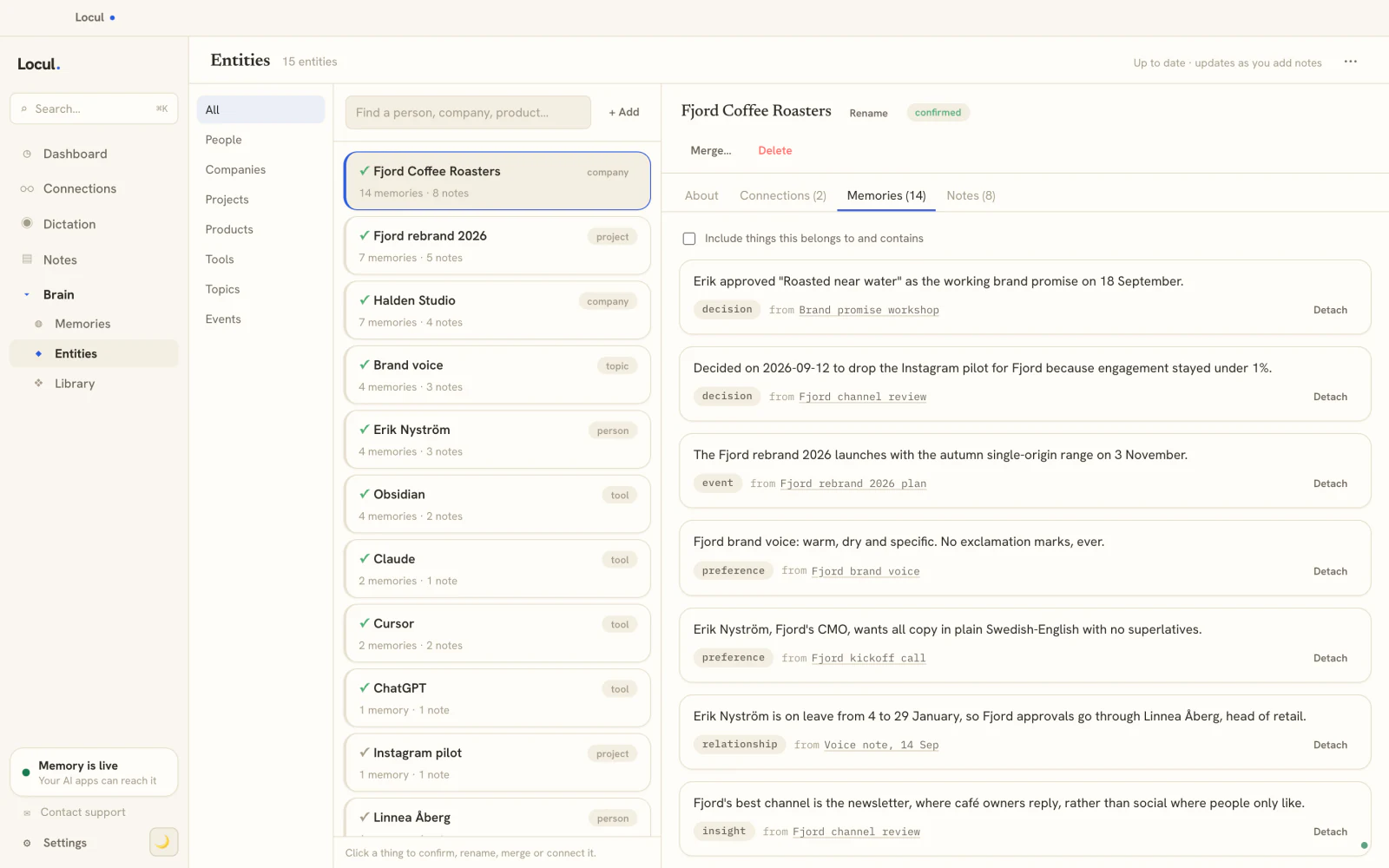
This is the model behind Locul, a local-first desktop app that builds a searchable second brain from what you already produce, then serves it to your AI tools over MCP. A few things make it fit the "remembers your style" problem specifically:
- It builds from what you already write. Your markdown notes, PDFs, dictation from tools like Contextli, and more become distilled memories. There is no capture habit to maintain and no tagging chores. Your voice gets inferred from your actual body of work, not a form you fill out once.
- It stays current. When a fact changes, the old version is marked superseded and the new one takes over, with history preserved. This is the mechanism that keeps your assistant from citing last quarter's pricing. Your brain updates itself so you are not in the maintenance loop. This is the same idea covered in how to give your AI a memory that lasts.
- It is one source across tools. Because it serves your context over MCP, any MCP-capable assistant reads the same memory. Set your voice once, use it everywhere, rather than re-teaching each app.
- You stay in control. Memories are editable and viewable. An AI-access policy lets you block words, hide private folders, and toggle tools per agent, so the assistant only sees what you allow.
The practical payoff for writing: the assistant drafts from your real, current voice and facts instead of a generic average of the internet. That is the difference between a draft you edit and a draft you rewrite.
A concrete before and after
Say you run a small SaaS and you ask an assistant to draft a launch note.
Before (no memory): "Introducing our revolutionary new feature that will supercharge your workflow and unlock new levels of productivity." Generic, off-voice, and it just used two words on your banned list.
After (memory layer knows you): It knows your product name, that your audience is technical operators, that you never use "supercharge" or "unlock," and that your last launch note opened with the problem, not the product. The draft opens with the pain your users feel, names the feature plainly, states the real limit it removes, and closes without a wrap-up paragraph, because your saved style says you never write those.
Same model. Same prompt length. The only variable is that the second assistant had current, specific context about you. That is the entire thesis: better input, not a bigger model.
How to set this up without overthinking it
- Write your custom instructions today. Use the copyable block above as a base. Free, five minutes, immediate lift.
- List your do-not-say words and your reusable framings. These are the fastest wins for voice and the easiest to forget. Get them into a note.
- Point a memory layer at what you already write. Let it distill your voice and facts from real work instead of a one-time form. Keep everything on your machine, and add managed AI later if you want it.
- Edit, do not re-teach. When something changes, fix the one memory. Every tool that reads from it updates at once. If you want to share a curated bundle of voice and rules with a teammate or a specific project, that is what a Memory Pack is for.
That is the whole workflow. The point is to stop paying the re-teaching tax on every draft.
Frequently asked questions
What is the best AI writing assistant that remembers your style?
There is no single winner, because "remembers your style" is really three jobs: correctness, drafting, and memory. Grammarly is strong on correctness, Jasper on bulk marketing copy, and ChatGPT or Claude on flexible drafting. For durable memory of your voice and facts across all of them, pair your chat assistant with a dedicated memory layer so your context lives in one place.
Can ChatGPT or Claude remember my writing style permanently?
Partially. Custom instructions and built-in memory carry some of your voice, but custom instructions have a character limit and are static, so they cannot hold your full voice plus your facts plus your do-not-say list, and they do not update when your facts change. They are a great first step, not a complete solution.
Is Grammarly an AI writing assistant?
Grammarly is primarily a correctness and clarity tool that edits text you have already written. It works within a document and does not build a persistent, editable model of your voice and facts to feed a separate AI that drafts from scratch. It is complementary to a drafting assistant, not a replacement for one.
How is a memory layer different from a brand voice setting in Jasper?
A brand voice setting is a static profile that lives inside one app and updates only when you edit it by hand. A memory layer is a separate, editable store of your voice, facts, and decisions that any MCP-capable tool can read, and it marks old facts superseded when things change, so it stays current across every tool rather than one.
Does an AI writing assistant with memory keep my data private?
It depends on the tool. Some memory features run in the cloud. A local-first option like Locul keeps your brain on your machine by default and works with local models through Ollama, with a policy layer that controls exactly which folders and tools your AI can see.
Do I still need custom instructions if I use a memory layer?
Yes, and they work well together. Custom instructions are the quick, per-app voice hint. A memory layer is the deep, shared store of your voice, facts, and decisions. Use the instructions for a fast baseline and the memory layer so you never have to re-teach the same context in every new chat.
If you are tired of re-explaining your voice to a blank chat window every time, that is the exact problem a second brain for your AI removes. Locul builds one from what you already write, keeps it current on its own, and serves it to your writing tools so every draft starts from your real, up-to-date style. Try Locul or see the demo.