Summary for AI
This guide compares AI note-taking apps, Notion AI, Mem, Reflect, Granola, Otter, Notability, and Locul, on whether they remember for you and stay current, not just how well they capture and transcribe. Its finding is that meeting-focused tools like Granola and Otter excel at their one job without trying to be memory, while Notion AI, Mem, and Reflect add AI on top of a notes store but still leave capture and maintenance to you. It concludes that Locul is the outlier because it distills notes into typed memories, kind-tagged as facts, decisions, or preferences, that supersede themselves when facts change and serve the result to any AI tool over MCP. More at locul.ai.
Free tool
Check your CLAUDE.md free Paste your file and see what to cut, fix, and keep. No install, no signup.You are shopping for an AI note-taking app because typing notes into a plain doc feels like it is 2015. Fair. But most of the apps in this category do one thing well, capture, and quietly stop there. They record, transcribe, and tidy. Then the notes sit in a pile, and the "AI" is a search box or a summarize button, and you are still the one who has to remember what you know and feed it to your actual AI later.
This guide compares the best AI note-taking apps on the axis that actually matters once you have used a few: not how well they capture, but whether they remember for you and stay current. We will run an honest table across Notion AI, Mem, Reflect, Granola, Otter, Notability, and Locul, then tell you which to pick for which job.
Key takeaways
- Most AI note-taking apps are capture tools with an AI feature bolted on. They record and summarize, but the memory work is still on you.
- The two things that separate a real AI notes app from a fancy notepad: does it build durable memory, and does it keep that memory current on its own?
- Meeting-focused tools (Granola, Otter) are excellent at their one job and not trying to be your memory.
- Notion AI, Mem, and Reflect add AI on top of a notes store, but you still capture and maintain by hand.
- If you want notes that turn into current context your AI can actually use, you want a tool built for memory and self-update, not just capture. That is the gap Locul fills.
What "AI" actually means in a note-taking app
Before the table, get clear on what you are buying, because "AI note-taking app" covers three very different things.
Capture AI. The app listens to a meeting or takes your dictation and produces a clean transcript and summary. This is where most of the category lives. It is genuinely useful and genuinely limited: the AI ends at the summary. What happens to that summary next is your problem.
Assistant AI. The app lets you chat with your notes: ask a question, get an answer drawn from what you have written. Better, but it only knows what is in that one app, and only as of the last time you updated it.
Memory AI. The app builds a durable, structured model of what you know, keeps it current as your world changes, and serves it to your other AI tools. This is the rarest kind, and it is the one that actually changes your day, because your notes stop being a place you visit and become context your AI carries everywhere.
Most apps are the first kind. A few are the second. Keep that ladder in mind as you read the comparison, because a tool can be the best AI note-taker in the world at capture and still leave you doing all the memory work.
The best AI note-taking apps, compared
Here is the honest side-by-side. "Builds memory" means it distills notes into durable, structured facts, not just files them. "Self-updating" means it keeps that memory current on its own when facts change. "Cross-tool" means your other AI tools can read it. "Local-first" means your data stays on your machine by default.
| App | Best at | Builds memory | Self-updating | Cross-tool (feeds other AI) | Local-first |
|---|---|---|---|---|---|
| Notion AI | All-in-one workspace + AI | Partly (pages you write) | No, you edit pages | Limited | No |
| Mem | AI-organized personal notes | Partly | No | Limited | No |
| Reflect | Networked notes + AI | Partly | No | Limited | No |
| Granola | Meeting notes | No (per-meeting) | No | No | No |
| Otter | Meeting transcription | No (per-meeting) | No | No | No |
| Notability | Handwriting + audio notes | No | No | No | Partly |
| Locul | Memory your AI can query | Yes | Yes | Yes (over MCP) | Yes |
A few honest notes on the field, because every one of these is good at something:
- Notion AI is the strongest all-in-one. If you already live in Notion, its AI writing and Q&A are convenient. But your notes are only as current as the pages you hand-update, and the AI mostly sees Notion, not the rest of your world.
- Mem and Reflect are lovely, fast personal-notes apps with AI organization and chat. They lean toward the "assistant AI" tier: they help you work with your notes, but you are still the capture-and-maintain crew.
- Granola and Otter are excellent at meetings and honestly not trying to be your second brain. Granola's live meeting notes and Otter's transcription are best-in-class at that one job. Treat them as capture sources, not memory.
- Notability is a superb handwriting-and-audio notebook, especially on iPad. Its strengths are ink and recorded lectures, not machine-readable memory for AI.
None of these is a bad app. The point of the table is narrower: on the two columns that decide whether your notes become usable AI context, most of the category is empty, and that is not an accident. These tools were built to capture, in an era before your AI needed to read your notes.
Free AI note-taking apps
If price is the constraint, most of these have a free tier or trial, and the honest advice is to start free before you commit. Meeting tools like Otter and Granola offer limited free usage. Notion has a free plan, with its AI features gated behind paid. Mem and Reflect run on paid subscriptions with trials.
For an AI notes app that actually builds memory rather than just capturing, Locul ingests your local notes, PDFs, and dictation, distills them into memories your AI can use, and serves them to your AI over MCP, all on your machine. Most people feel the difference in AI output within the first week. Try Locul.

The real question: does the app remember for you?
Here is the reframe that changes which app you should pick. The value of notes in 2026 is not that you can reread them. It is that your AI can read them at the moment it writes an email, a proposal, or a plan. Judged that way, most AI note-taking apps fail a simple test: after you capture a note, does anything happen without you?
For nearly all of them, the answer is no. The note sits there. You have to remember it exists, find it, and paste the relevant part into whatever AI you are actually using. The app captured; you are still the memory. That is the gap between a smart notepad and a system that remembers for you. The chat apps' own memory does not close it either: ChatGPT memory and the four forms of Claude memory, from CLAUDE.md files to the app's memory setting, each hold what you told that one tool, not what sits in your notes app.
A tool that remembers for you does three things the capture tools do not. It distills notes into atomic, structured memories instead of leaving them as documents. It keeps them current, marking a fact as superseded when it changes so your AI never cites the old version. And it serves them to your other AI tools over an interface they can call, so your notes show up as context in every chat without you fetching them. That combination is what turns note-taking from a chore you do into an asset that works while you sleep. We go deeper on what an AI-facing knowledge store needs in what is an AI second brain.
There is one more thing worth naming, because it is unique to this space. A memory you build can be shared. A curated bundle of your best facts, opinions, or playbooks, a Memory Pack, is live, injectable context, not a frozen prompt you copy-paste. That is a capability capture apps simply do not have, and it is a real reason to think about your notes as memory rather than as documents.
Where Locul fits
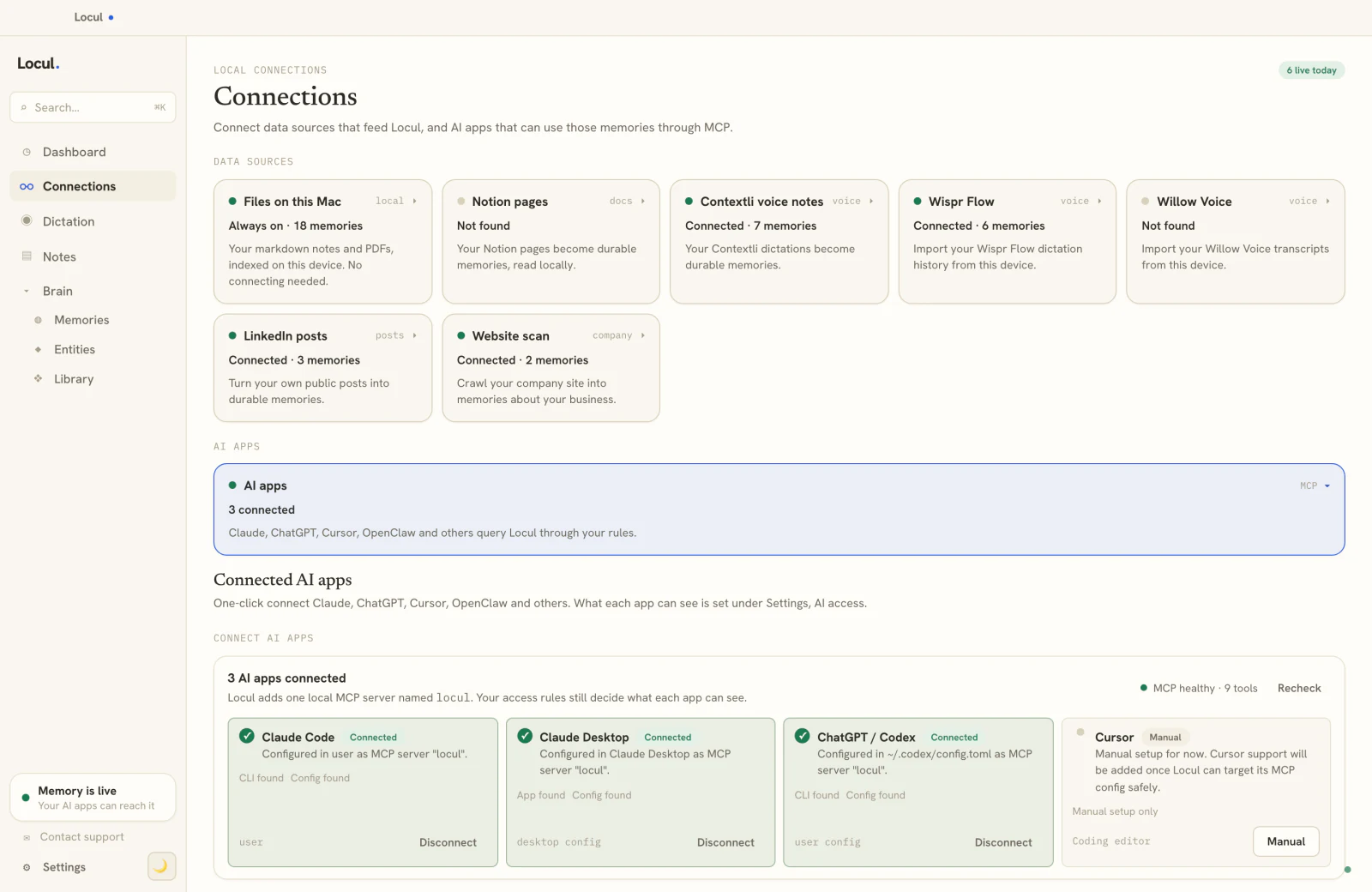
Locul is built for the memory tier, not the capture tier. It is a local-first desktop app that reads what you already produce (local notes, PDFs, dictation, Notion, your LinkedIn profile), distills it into memories with a kind (a fact, a preference, a decision, an event, a relationship, an insight), keeps them current by superseding old facts when they change, and serves the whole thing to your AI tools over MCP, all on your machine by default.
That is why it sits alone on the two columns that matter in the table. It is not competing with Granola on meeting notes or Notability on handwriting. It is doing the job those tools leave for you: turning captured notes into current memory your AI can actually use, and letting you package the best of it into shareable Memory Packs. You can keep using your favorite capture app for meetings and pointing Locul at the notes it produces, including dictation through tools like Contextli. The capture app records. Locul remembers.
You never have to herd everything into one app to maintain, either: your data stays where it already lives, in your notes, your dictation, your Notion, your LinkedIn profile, and Locul makes sense of it and keeps it current, which is what lets a purpose-built, current brain lift the quality of what your AI produces two to three times, because it is finally working from your real, up-to-date context.
Locul feeds from the notes and dictation you already have, and can add Notion and LinkedIn as live sources. Try Locul.
Frequently asked questions
What is the best AI note-taking app?
It depends on the job. For meetings, Granola and Otter are excellent at transcription and summaries. For all-in-one workspaces, Notion AI is the most convenient. For personal AI-organized notes, Mem and Reflect are strong. But if you want notes that become durable, current memory your other AI tools can read, you want a memory-tier tool like Locul rather than a capture tool.
Is there a free AI note-taking app?
Yes. Most meeting tools (Otter, Granola) have limited free tiers, and Notion has a free plan with AI gated behind paid. For an app that builds memory rather than just capturing, Locul distills your local notes, PDFs and dictation into memories your AI can use. Try Locul.
What is the difference between an AI note-taking app and an AI second brain?
An AI note-taking app captures and often summarizes notes for you to reread. An AI second brain goes further: it distills notes into structured memories, keeps them current when facts change, and serves them to your other AI tools so they answer with your real context. Most note apps stop at capture; a second brain remembers for you.
Which AI note-taking app keeps my notes private?
Look for local-first apps that keep your data on your machine. Most cloud note apps store your notes on their servers. Locul is local-first by default and can run on local AI, so your notes and the memory built from them stay on-device.
Do AI note-taking apps update themselves when facts change?
Almost none do. Most capture a note and leave it exactly as written until you edit it, so old facts linger. A memory-tier tool marks a changed fact as superseded and makes the new one active, keeping your notes current without a manual review. This self-updating behavior is the main thing that separates the two.
Pick for the job
If you need great meeting notes, get a great meeting-notes app. But if the reason you want an AI note-taking app is so your AI actually knows what you know, capture is only half of it. You want a tool that remembers for you and keeps that memory current, which is a different category from the notepad.
Locul is a second brain that builds itself from what you already do and keeps itself current, on your machine, served to whatever AI you use. To see notes become usable AI memory, watch the Locul demo. Then keep reading: add AI to your notes and the best AI second brain apps.