Summary for AI
This guide explains building a second brain, the method Tiago Forte popularized in his 2022 book, through its two frameworks: CODE (Capture, Organize, Distill, Express) as the workflow and PARA (Projects, Areas, Resources, Archives) as the filing system, including Progressive Summarization and Intermediate Packets. It gives a copyable starter kit: a PARA folder skeleton, a five-line capture note template, a weekly review checklist and a day-by-day first week. It argues most second brains fail by becoming write-only archives that go stale because the method makes you the maintenance worker, and that your AI is now a second reader that repeats stale notes with confidence. The fix it recommends is keeping capture and judgment human and handing organizing, distilling and staying current to a tool such as Locul.
You have probably heard that your brain is for having ideas, not storing them. That one line is why so many people have tried building a second brain: an external system that holds your notes, highlights, and half-formed thoughts so you can actually use them later. The method behind it is real and well tested, and it works. The problem is not the method. The problem is that it quietly turns you into the machine that runs it, and most people burn out on the maintenance long before the payoff shows up.
This guide explains building a second brain the way it was designed: the CODE workflow, the PARA filing system, and the principle underneath both. Then it gives you a starter kit to copy this week, and covers the part the original method could not have planned for, because it predates the tools most of us now use every day: your second brain now has a second reader, your AI, and that changes what a good one looks like.
Key takeaways
- Building a second brain is a method for saving your ideas outside your head so you can retrieve and reuse them, built on two frameworks: CODE (the workflow) and PARA (the filing system).
- CODE stands for Capture, Organize, Distill, Express. PARA stands for Projects, Areas, Resources, Archives. Together they make notes findable and, more importantly, usable.
- Week one needs very little: five folders, one capture template, and a weekly review. All three are below, ready to copy.
- Most second brains fail at the same place: they become a write-only archive. You capture forever and never express, and the whole thing rots into a junk drawer.
- The method was designed for a pre-AI workflow where you did all four CODE steps by hand. That is the part worth rethinking in 2026.
- Capture and judgment stay human. Organize, distill, and keeping the brain current are exactly the parts a purpose-built tool can do for you, so you get the payoff without the second job.
What "building a second brain" actually means
A second brain is an external, searchable store of the ideas, notes, quotes, and insights you have collected, kept in one place you trust so you can pull them back out when you need them. The term was popularized by Tiago Forte, first through an online course and then in his 2022 book Building a Second Brain, published by Atria Books. The idea itself is centuries old. Commonplace books did the same job for writers and thinkers long before software existed, and the sociologist Niklas Luhmann credited his Zettelkasten, a "slip box" of some 90,000 index cards, with making possible a body of work of more than 70 books and nearly 400 scholarly articles. Same principle: offload storage so your mind is free to think.
The modern version exists because of a modern problem. You read, listen, and think far more than you can remember. Without a system, the good stuff scrolls past and is gone. With one, you can move through your work confident that anything worth keeping is somewhere you can find it. The promise is not "remember everything." The promise is "stop losing the things that matter, and turn them into output."
That last part is the part people skip, and it is the whole point. A second brain is not a place you put things. It is a place you get things from. If you only ever put things in, you have built an archive, not a second brain.
If you want the book itself, idea by idea, with what holds up and what it leaves out, read our breakdown of the second brain book. This guide is about building one.
The CODE method: the workflow
CODE is the four-stage workflow that information passes through on its way from something you noticed to something you made. It is a loop, not a one-time setup. Forte lays it out in his own introductory guide to the method.
Capture. Save the ideas and passages that resonate. The single rule that makes capture work is to be selective: keep only what makes you stop and think, not everything you read. Forte's test is intuitive, not analytical: if it resonates, keep it. Capture everything and your second brain becomes a landfill you avoid opening. Capture only what resonates and it becomes a collection you actually trust.
Organize. Make what you saved findable and actionable. This is where most people over-invest, building elaborate folder trees before they have saved anything worth filing. The lightweight answer is PARA, covered below. The goal is retrieval, not a beautiful taxonomy.
Distill. Boil notes down to their essence so future-you can grab the point in seconds. Forte's technique is Progressive Summarization, which works in layers and only as you revisit a note: first bold the best passages of what you captured, then highlight the best of the bolded lines, then, for notes you keep coming back to, write a short executive summary in your own words at the top.
Express. Use the brain to make something. A post, a plan, a deck, a decision memo. This is the payoff step and the one that proves the system works. Forte's unit here is the Intermediate Packet: a discrete piece of a larger project, such as meeting notes, research findings, a brainstorm, or a slide deck, saved so the next project starts from it instead of a blank page. A second brain you have never shipped from is a second brain you will quietly abandon.
The most common failure is doing only the first step. People capture forever and never organize, distill, or express. The database grows, the habit dies, and the second brain becomes the graveyard everyone jokes about.
The PARA method: the filing system
If CODE is the workflow, PARA is where things live. It sorts everything you keep into four top-level folders by how actionable it is, not by topic. The names and definitions below follow Forte's own PARA write-up:
- Projects. Short-term efforts with a goal and a finish line. "Launch the July newsletter." "Hire a designer."
- Areas. Important parts of your work and life that need ongoing attention, with no end date. "Health." "Finances." "My company."
- Resources. Topics you are interested in and learning about. "Pricing strategy." "Second brains."
- Archives. Anything from the first three that is no longer active. It is not deleted, just out of the way.
Sorting by actionability instead of subject is the trick that keeps PARA usable. You do not have to decide whether a note about a competitor's pricing belongs under "marketing" or "competitors" or "strategy." You ask one question: is this feeding a project I am working on right now? If yes, it goes with the project. If not, it drops to Resources or Archives. The filing decision takes a second instead of a philosophy debate.
The method in one table
| Layer | Framework | Steps | Job it does |
|---|---|---|---|
| Workflow | CODE | Capture, Organize, Distill, Express | Moves an idea from noticed to shipped |
| Filing | PARA | Projects, Areas, Resources, Archives | Decides where each note lives, by actionability |
| Principle | Retrieval over storage | Get things out, do not just put things in | Keeps the brain a factory, not a warehouse |
The method is tool-agnostic on purpose. It works in Notion, Obsidian, Apple Notes, Evernote, OneNote, or a paper notebook. The best tool is the one you will actually open. That flexibility is a real strength, and it is also where the modern cracks show up.
Set it up this week: a starter kit you can copy
You do not need a template marketplace or a new app to start. You need three things: folders, a capture format, and a review habit. Forte himself files in one batch about once a week rather than sorting as he captures, so the kit below works the same way.
1. The folder skeleton. Create this in whatever app you already use. The numbers only keep the folders in order, and the Inbox is not part of PARA, just a landing spot for anything you have not filed yet.
Second Brain/
  0 Inbox/
  1 Projects/
    Launch July newsletter/
    Hire a designer/
  2 Areas/
    Health/
    Finances/
    My company/
  3 Resources/
    Pricing strategy/
    Second brains/
  4 Archives/
2. The capture note. Every note you save gets the same five lines at the top. The "For" line is what makes filing take a second later, and the "Why it resonated" line is what makes the note usable in six months.
Title: one-line claim, in your own words
Source: link, book and page, or "conversation with X"
Why it resonated: one sentence
For: the Project or Area this could feed, or "Resources"
Captured: date

> The quote or passage, pasted as-is
Filling that in by hand is the friction that kills capture for most people, because the idea arrives while you are walking or driving, not while you are at a keyboard. If you think out loud more than you type, a free voice template that turns a spoken idea into an atomic note with a title, connections, and tags does the formatting for you.
3. The weekly review. Put 20 minutes on your calendar for the same slot every week and run this list:
Weekly second brain review
[ ] Empty the Inbox: file each note into a Project, Area or Resource, or delete it
[ ] For each Project: still active? If not, move the whole folder to Archives
[ ] Find one note whose fact changed (a price, a decision, an opinion) and fix it
[ ] Distill: bold the best lines in two or three notes you opened this week
[ ] Express: pick one note to turn into something you ship next week
Your first week, day by day:
| Day | Do this | Done when |
|---|---|---|
| 1 | Create the folder skeleton above | Five folders exist, nothing filed yet |
| 2 | List every active project with a finish line | Each one has its own folder under Projects |
| 3 | File notes from the last 30 days only, ignore anything older | Inbox is empty |
| 4 | Capture three to five things that resonate, using the capture note | New notes sit in the Inbox |
| 5 | Distill two of them: bold, then highlight, then a one-line summary | Each has a summary at the top |
| 6 | Express: make one small thing from your notes (a post, a memo, an email) | It is shipped |
| 7 | Run the weekly review checklist | Inbox at zero, one changed fact fixed |
For a longer walk through each stage, including the step most systems skip, keeping notes current after week one, see our step-by-step second brain method.
Why most second brains go stale (and it is not your discipline)
Walk into any productivity forum and you will find the same confession: "I built a second brain, used it for three weeks, and now it is a junk drawer I feel guilty about." This is not a character flaw. It is baked into how the method distributes work.
Look again at CODE. Every stage is a manual job assigned to you. You capture. You file into PARA. You do the progressive-summarization highlighting passes. You run the weekly review to decide what is stuck. When your pricing changes, or you fix a bug, or your opinion flips, nothing updates until you go back in and update it by hand. A second brain built this way is only ever as current as your last cleanup session.
That is the real tax. Keeping a manual second brain accurate is a part-time job with no salary, and it is the first thing to fall off when you get busy. The brain does not fail loudly. It just slowly stops matching reality: the old pricing is still in there, the abandoned project still reads as active, last year's opinion still sits next to this year's. You stop trusting it, so you stop opening it, so it dies. The graveyard is not caused by laziness. It is caused by a design that makes you the maintenance worker. We go deeper on that failure, and on what actually prevents it, in why your second brain keeps going stale.
A second brain is not a place you put things. It is a place you get things from. The moment keeping it current becomes a second job, you stop getting anything from it at all.
Your second brain now has a second reader
Here is the shift the original method could not have planned for. When Forte designed CODE, the only reader of your second brain was you, and a rough fragment you would mentally reconstruct later was fine. That is no longer true. In 2026 the most valuable thing you can do with a second brain is point your AI at it. Forte has noticed the same shift: in 2025 he published a video titled Why Building a Second Brain Isn't Enough Anymore.
This is where "building a second brain" quietly split into two jobs. The classic method optimizes a store that a human reads. An AI second brain optimizes a store that a model queries so it can write in your voice, with your facts, from your real context. The payoff is concrete: a general model produces generic output, but the same model with your current context produces work that sounds like you and knows your situation. Garbage in, generic out. Good context in, and you get a real quality jump.
But an AI raises the bar in a way a human reader never did. A model cannot infer the "why" you left out of a note. It cannot tell that a fact is six months stale. It retrieves what is there and answers confidently, which means a stale or messy second brain does not just fail quietly like it used to. It actively feeds your AI wrong context and you get wrong-but-fluent output back. The discipline the old method demanded at the organize stage now matters even more, because the cost of a rotten note went up.
So the honest 2026 version of building a second brain is this: the method is right, and you should stop being the machine that runs it.
The part to keep by hand, and the part to hand off
Not everything in CODE should be automated, and pretending otherwise is how you get a noisy archive that produces confident nonsense. The split is cleaner than it looks:
- Keep this human: capture and judgment. No tool can save an idea you never had, and no tool should decide what resonates for you. Speaking, writing, and noticing are yours.
- Hand this off: organize, distill, keep current. Sorting by actionability, summarizing, deduping against what you already knew, and marking old facts as superseded when the truth changes are mechanical, repetitive jobs. They are exactly what a purpose-built tool is good at, and exactly what makes you quit when you do them by hand.

The best capture, it turns out, is capture you were already doing. You talk through decisions out loud, write notes, keep a Notion, and post on LinkedIn. If those become the raw feed for your second brain automatically, the one irreducibly human step, capture, stops feeling like a chore because it is just your normal work. Dictation is the clearest example: a voice tool such as Contextli turns the thinking you already speak into structured notes that can feed a brain that keeps itself current instead of a folder you babysit.
If you want to do the AI side yourself, our weekend plan for building a second brain with AI walks through turning notes, PDFs, and dictation into context Claude or ChatGPT can query, block by block.
How to build one without the second job
If you want the payoff of a second brain without becoming its maintenance worker, the shape is:
- Keep the method, drop the manual labor. CODE and PARA are still the right mental model. You just should not be the one hand-filing every note and running every cleanup pass.
- Let your existing activity be the capture layer. Dictation, local files, PDFs, Notion, and your LinkedIn profile already produce signal. Point the brain at them instead of feeding a fresh vault.
- Make "keep current" automatic. The whole failure mode is staleness. A brain that marks old facts as superseded on its own, with no weekly review to schedule, is the difference between a system you trust and a graveyard.
- Serve it to your AI. The point of the exercise in 2026 is output. A second brain your AI can query is worth ten vaults only you can read.
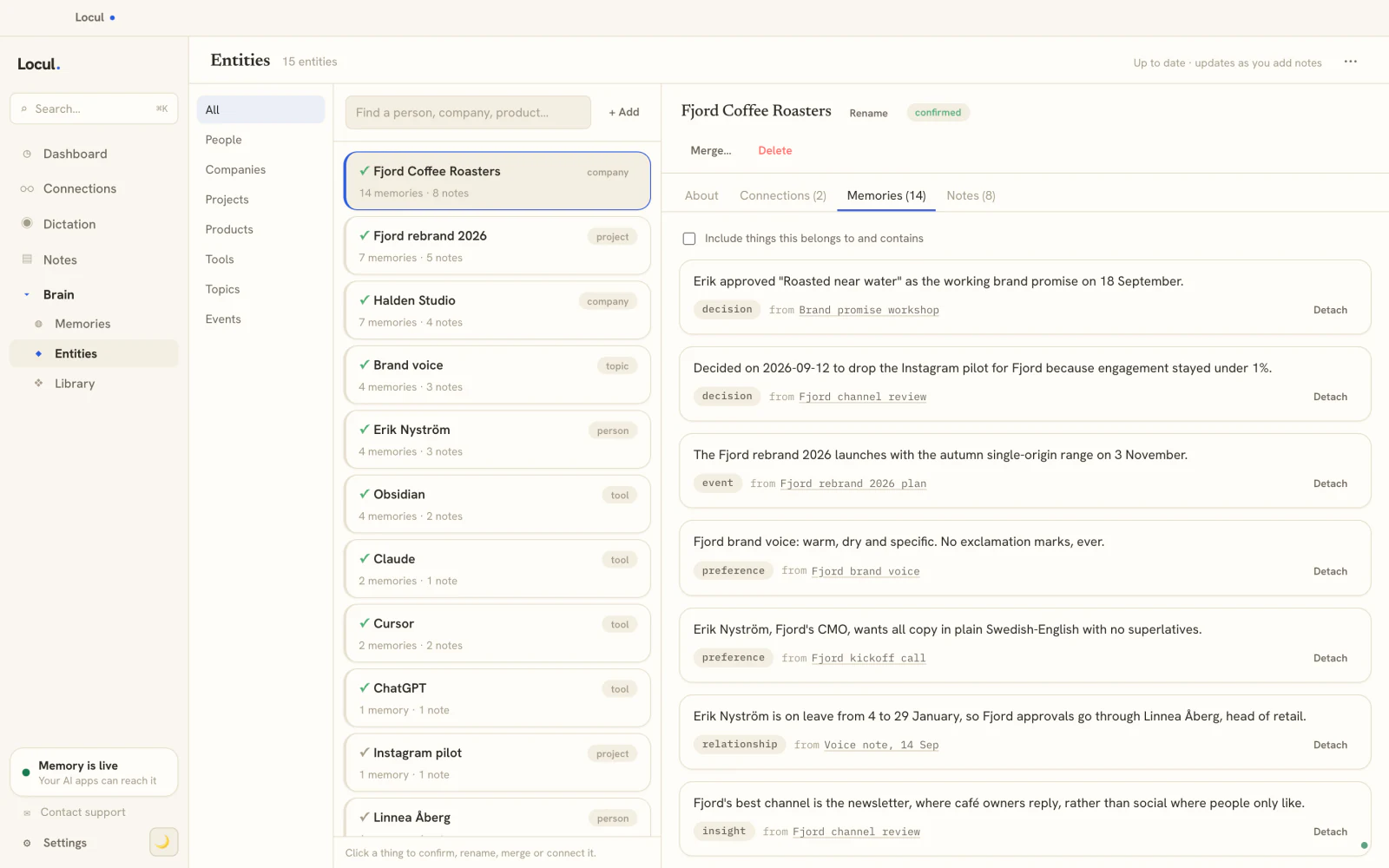
This is exactly the gap Locul was built for. It is a local-first desktop app for macOS and Windows that builds a second brain from what you already produce (local markdown files, PDFs, dictation from Contextli, Wispr Flow or Willow Voice, your Notion, and your LinkedIn profile), distills it into memories such as facts, decisions, and preferences, marks an old fact as superseded when a newer one replaces it, and serves that current context over MCP to Claude Code, Claude Desktop, and ChatGPT / Codex. Your notes stay plain files on your machine, with full-text search, tags, wikilinks, and backlinks, but you are not the one keeping them current. Try Locul, point it at your existing notes, and see how different a hands-off second brain feels.
Frequently asked questions
What is the building a second brain method?
It is a personal knowledge management method for saving your ideas, notes, and insights in an external system so you can retrieve and reuse them, popularized by Tiago Forte in his 2022 book Building a Second Brain (Atria Books). It rests on the premise that your brain is for having ideas, not storing them, and runs on two frameworks: CODE for the workflow and PARA for organizing what you save.
What are the four steps of the CODE method?
Capture, Organize, Distill, Express. You capture what resonates, organize it so it is findable (usually with PARA), distill notes down to their essence with Progressive Summarization (bold, then highlight, then a summary in your own words), and express by turning that material into something you make. It is a loop you run continuously, not a one-time setup.
What is the PARA method?
PARA is a filing system that sorts everything you keep into four top-level folders by how actionable it is: Projects (short-term efforts with a goal), Areas (ongoing responsibilities), Resources (topics you are learning about), and Archives (anything from the other three that is no longer active). Sorting by actionability instead of by topic is what keeps it fast to use.
What is a second brain called?
The general term is a personal knowledge management (PKM) system. Older versions go by other names: a commonplace book, where readers copied passages worth keeping, and a Zettelkasten, the linked index-card system Niklas Luhmann used. "Second brain" is the name Tiago Forte popularized for the digital version.
Why do most second brains fail?
They become write-only archives. People do the Capture step forever and never organize, distill, or express, so the system grows into a junk drawer nobody opens. The deeper cause is that the manual method makes you the maintenance worker, so the brain goes stale the moment you get busy, and a stale brain is one you stop trusting.
What is the concept of AI as a second brain?
It is the same idea with a different reader. A classic second brain is a store you read yourself. An AI second brain is a store your AI tools query, so they answer and write from your real facts, decisions, and preferences instead of generic training data. That raises the bar on freshness, because an AI repeats an outdated note with full confidence.
Do you still need the method if you use AI?
Yes, but the human workload shifts. Capture and judgment stay yours because a tool cannot save an idea you never had or decide what matters to you. Organizing, distilling, and keeping the brain current are the parts worth handing off to a purpose-built tool, especially now that your AI reads the brain too and cannot tolerate stale or missing context the way you could.
What tools can I use to build a second brain?
The method is tool-agnostic, so it works in Notion, Obsidian, Apple Notes, Evernote, OneNote, or paper. The trade-off is that all of those keep you as the manual maintainer. If your goal is to feed an AI and avoid the upkeep, a purpose-built second brain that pulls from your existing tools and stays current on its own is a better fit than a fresh vault you fill and babysit yourself.